
 Most Affordable Mac Cleaner App & Software
Clean. Optimize. Protect.All in one native app.
The most economical 100% native Swift Mac cleaner app, uninstaller & performance software — 6 pro tools for a third of legacy competitor prices.
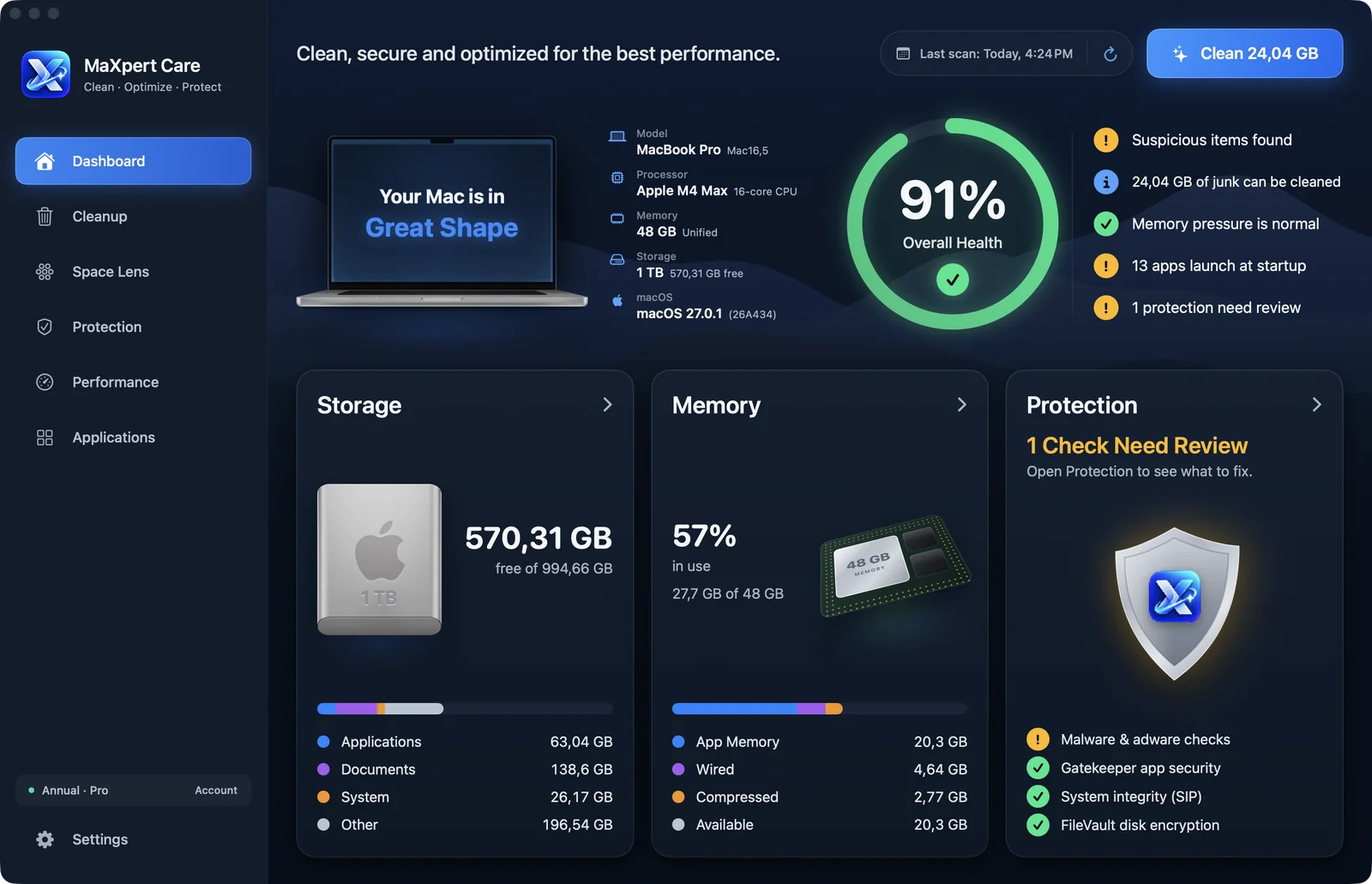
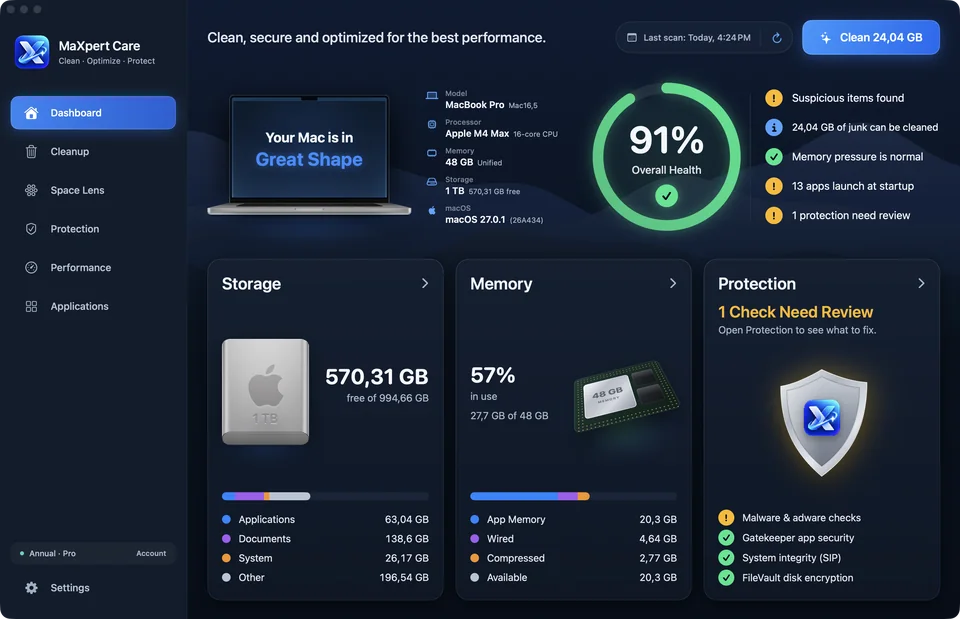
Everything your Mac needs, in one calm place.
Scroll through the app the way you would use it — from a quick health check to a deep clean.
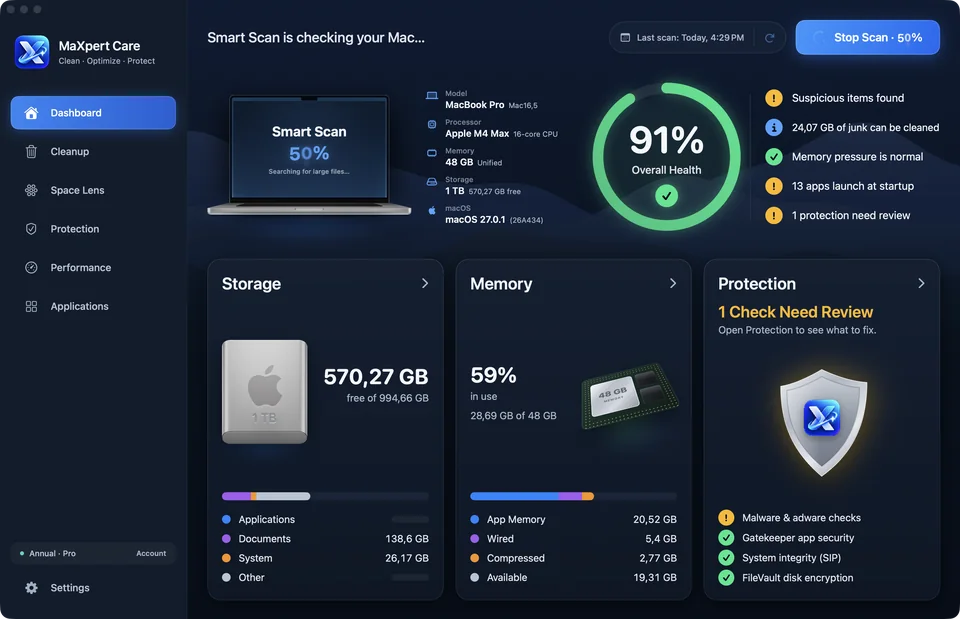
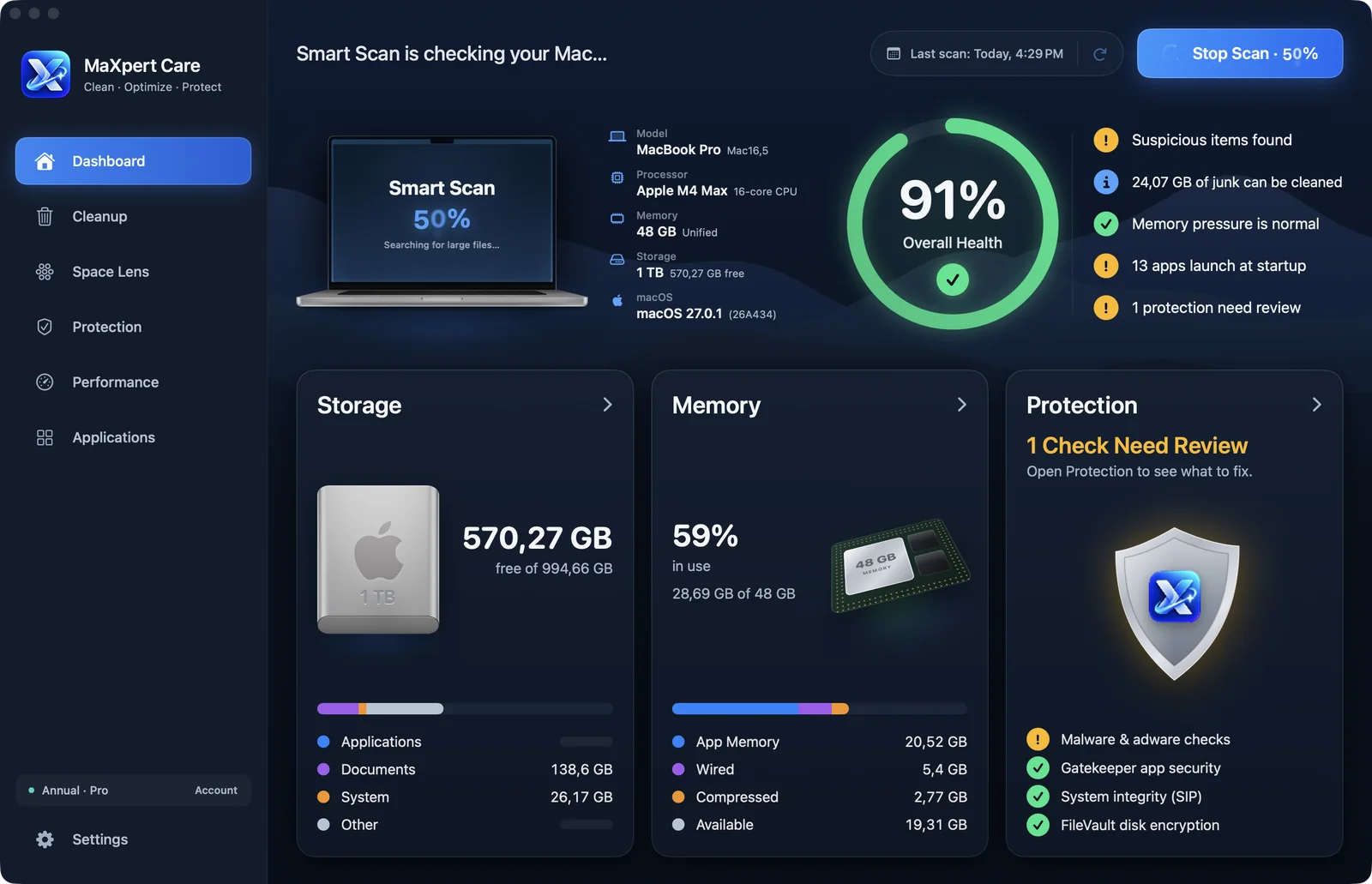
One click. Nine checks.
Smart Scan runs right on the Dashboard: caches, logs, Xcode build files, large files, unused apps, startup items, memory pressure and security — with live progress on your Mac’s display.
- Nine stages, from user caches to security checks
- Live progress with a Stop button
- Clean what it found in one step
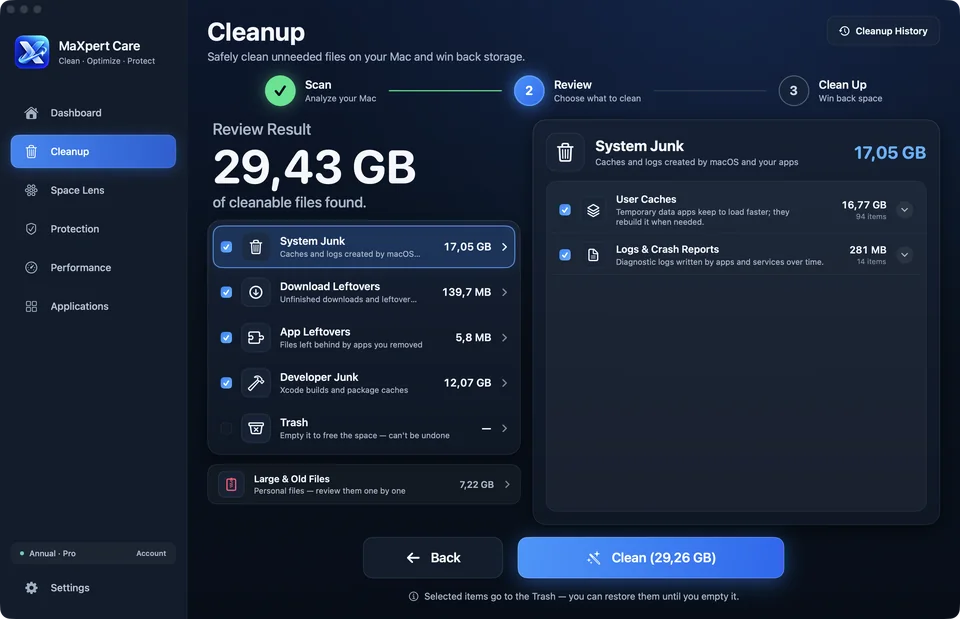
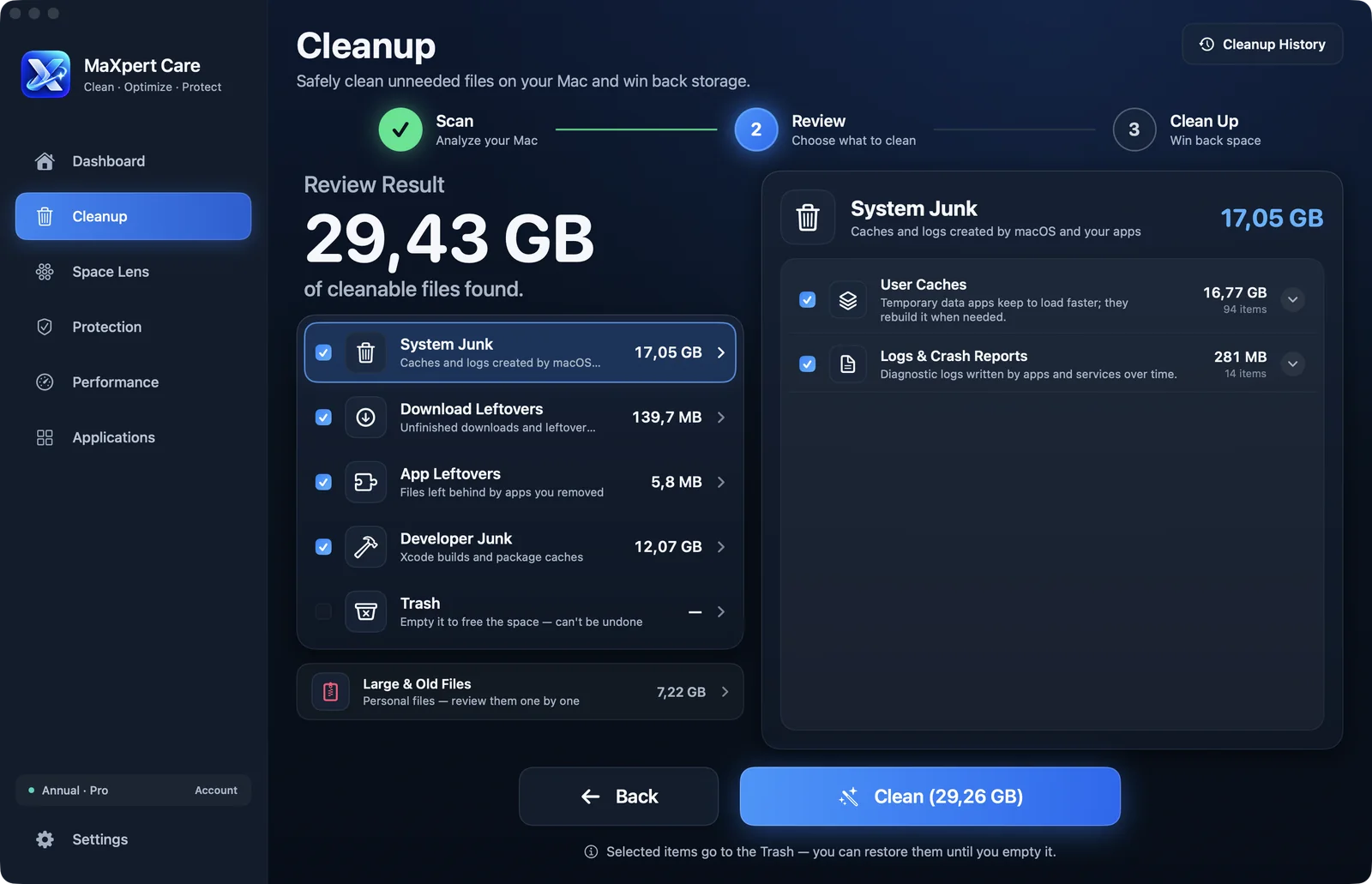
Nothing moves until you say so.
Cleanup is a three-step wizard: scan, review every group, then clean. Items go to the Trash, so they stay restorable — and emptying the Trash is its own opt-in group with an extra confirmation.
- System junk, app leftovers, developer junk and large & old files
- Live stages, files examined and a time estimate — stop anytime
- Everything goes to the Trash; emptying the Trash is a separate, opt-in group
- Cleanup History of everything you’ve cleaned
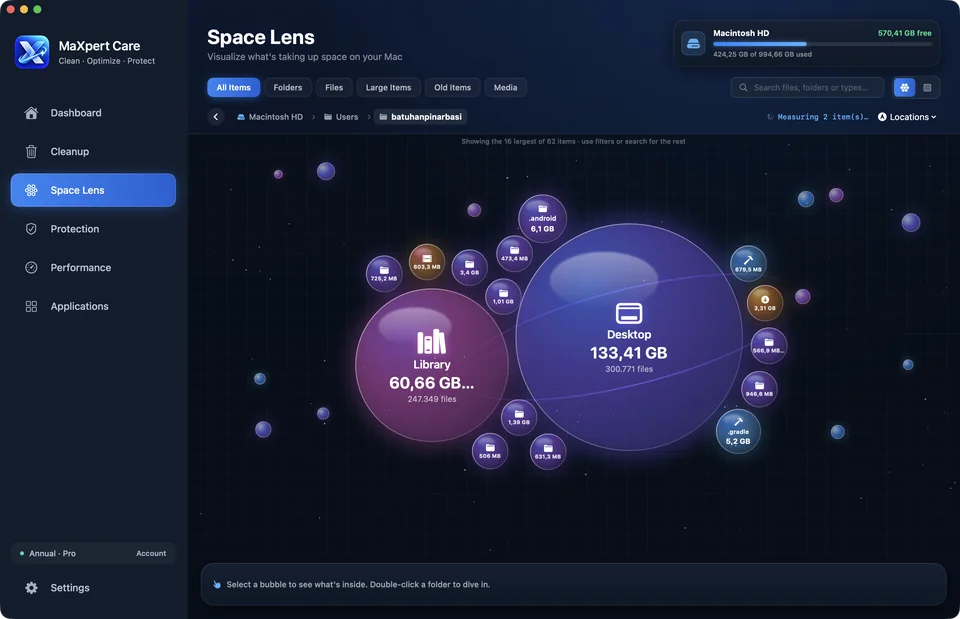
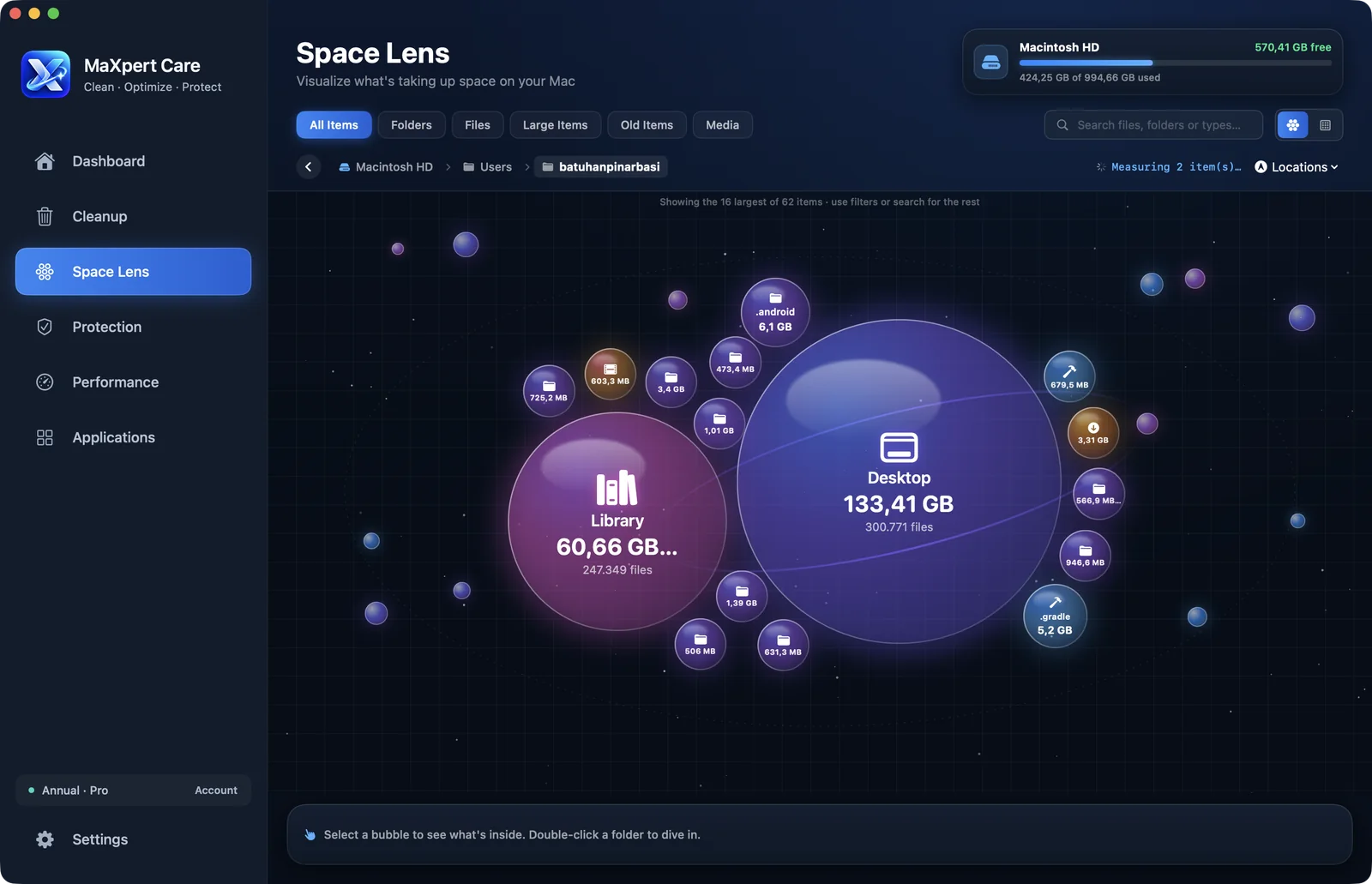
Spot disk hogs in seconds.
Space Lens draws your real disk usage as glowing bubbles — or a treemap. The bigger the bubble, the more space it takes. Drill into any folder and send what you no longer need from your home folder to the Trash.
- Bubbles or treemap, sized by real on-disk usage
- Live sizes while folders are counted
- Drill-down, largest-items panel and a Trash queue
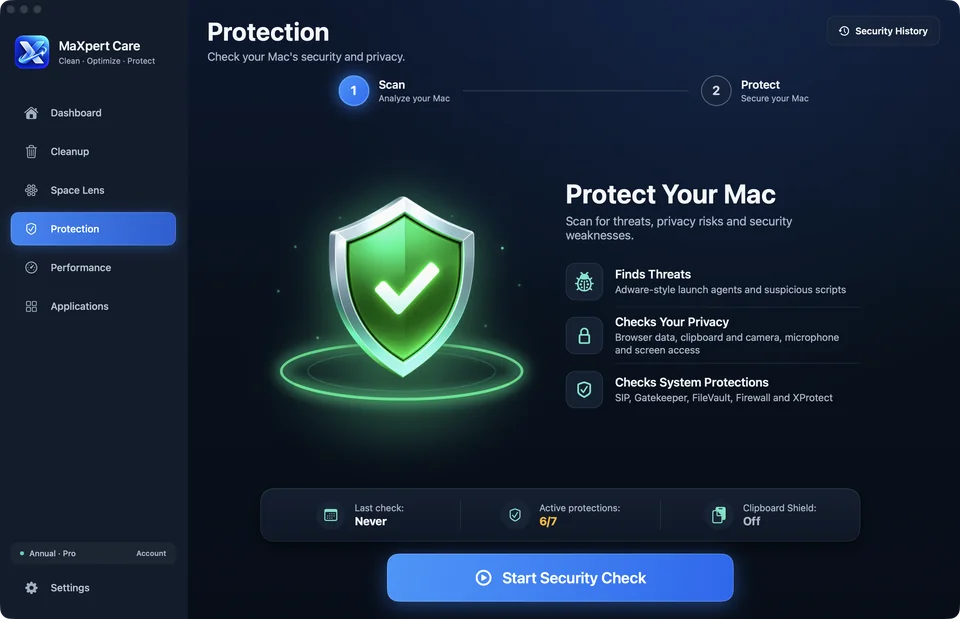
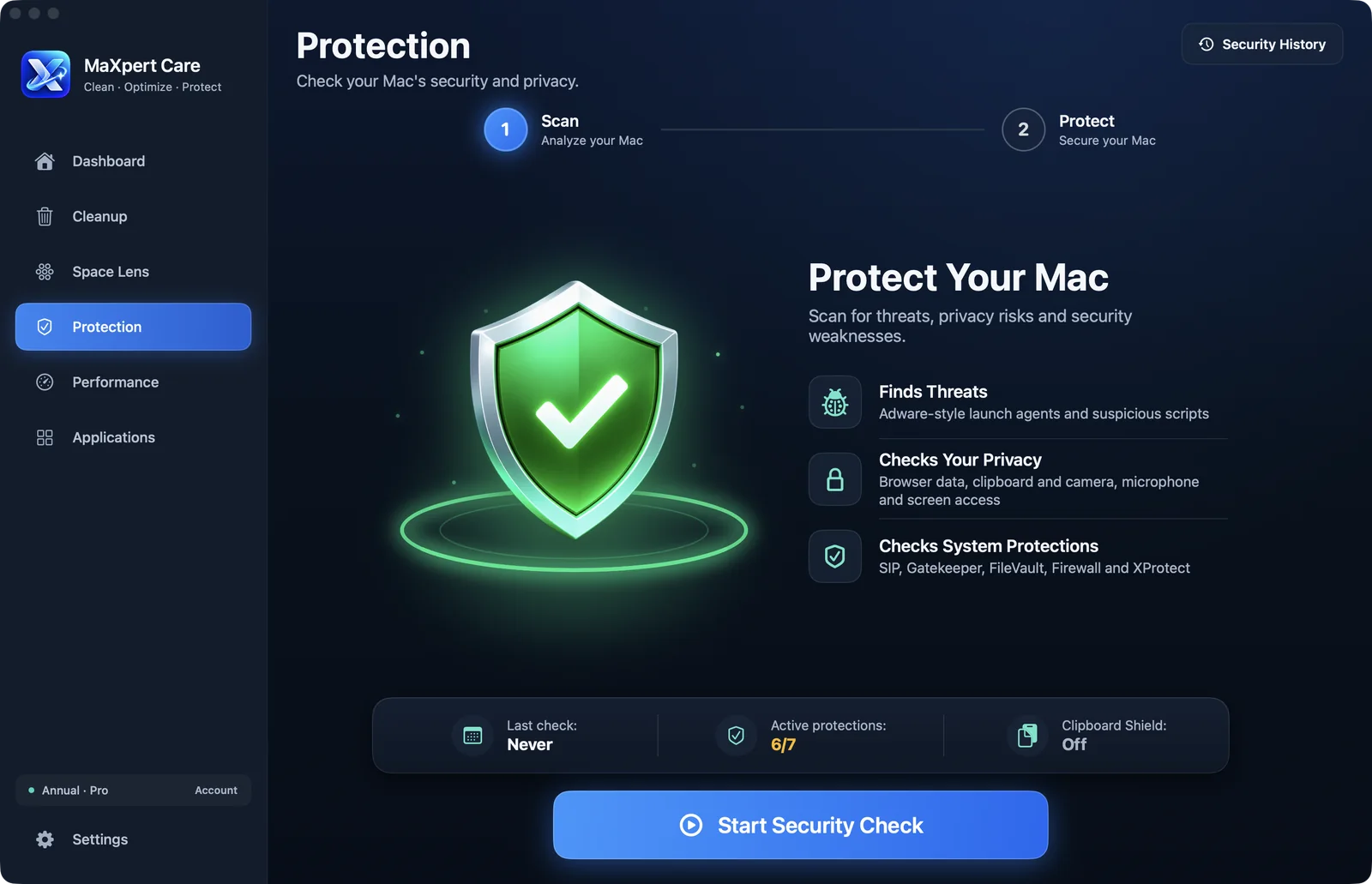
Know your Mac’s defences are on.
Protection checks the safeguards built into macOS, looks for suspicious launch agents and temp scripts, reviews privacy permissions and browser data, and fixes what it safely can with Protect Now.
- Five real scan stages, from threats to browser privacy
- Protect Now moves your own suspicious items to the Trash and clears browser caches
- Clipboard & Data Shield clears copied data after 3 minutes
- Security History of every check
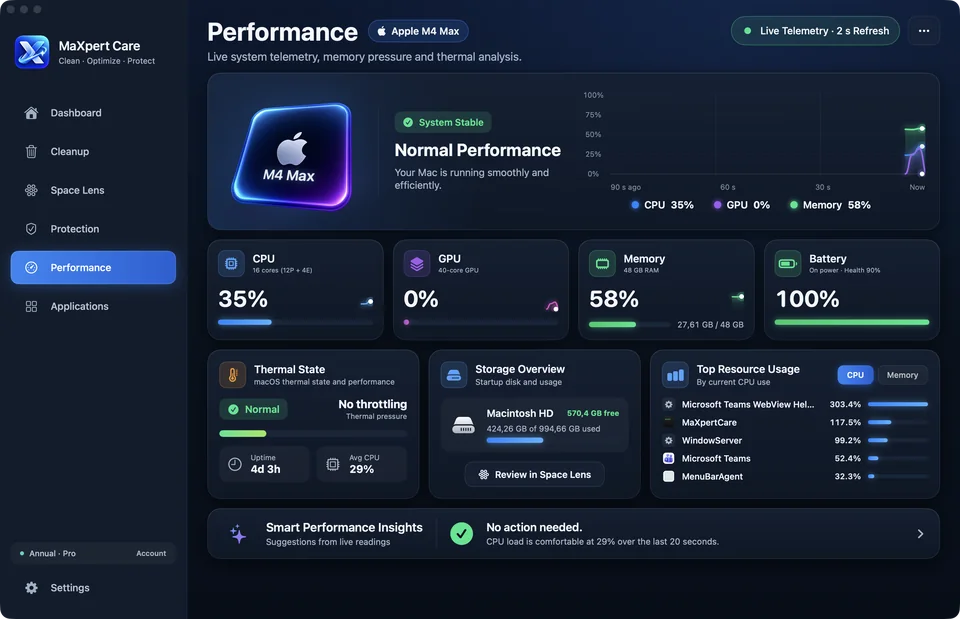
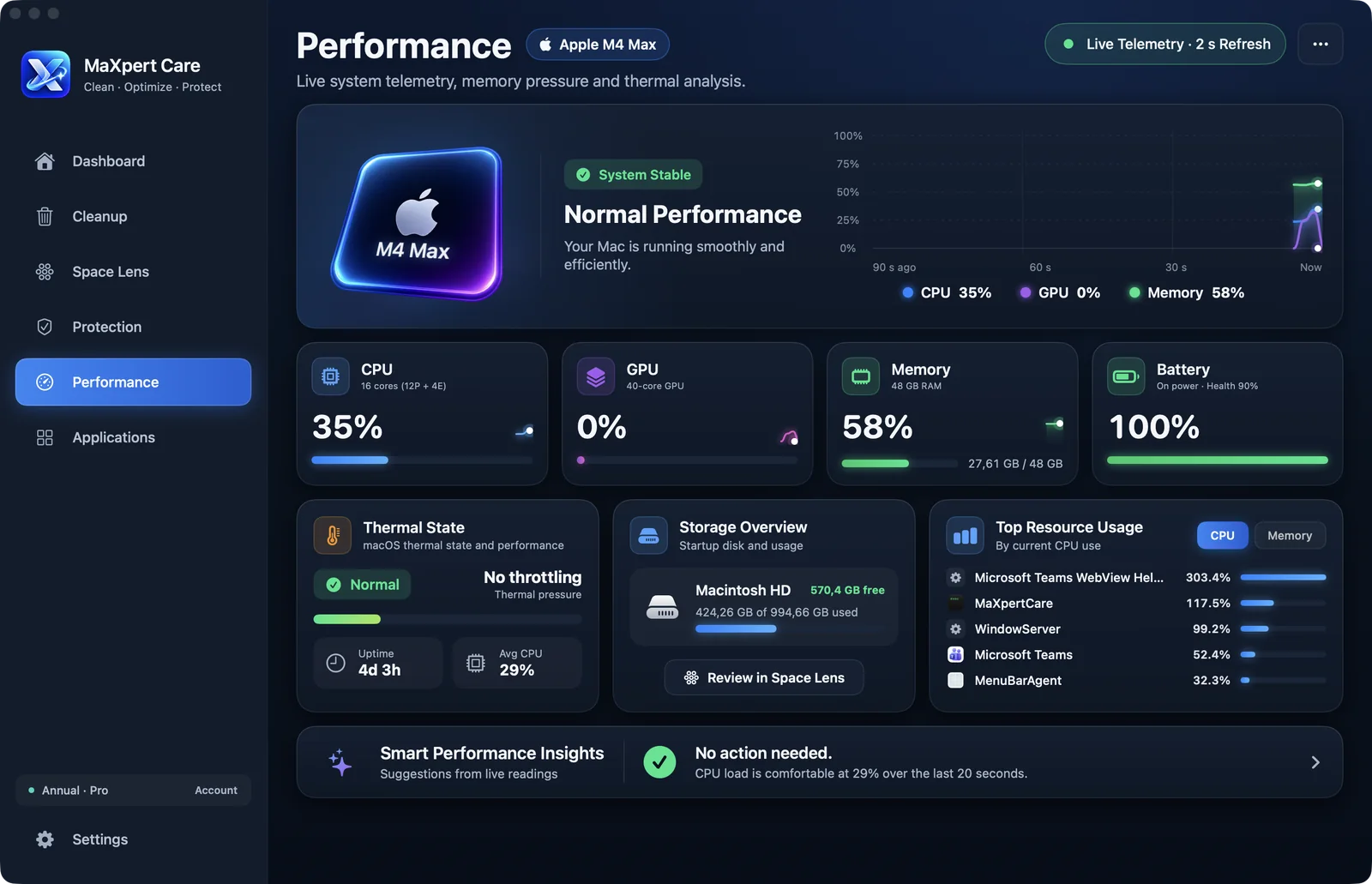
Live telemetry from your Apple Silicon
A live chip view with a load badge — System Stable, High Load or Under Stress — based on memory pressure, thermal state and CPU load, plus a 90-second CPU, GPU and memory chart, live metric cards, storage overview, top processes and plain-language insights.
- 90-second CPU, GPU and memory history
- CPU, GPU, memory and battery cards with live sparklines
- macOS thermal state, top processes and insights
- Pause updates or jump to Activity Monitor
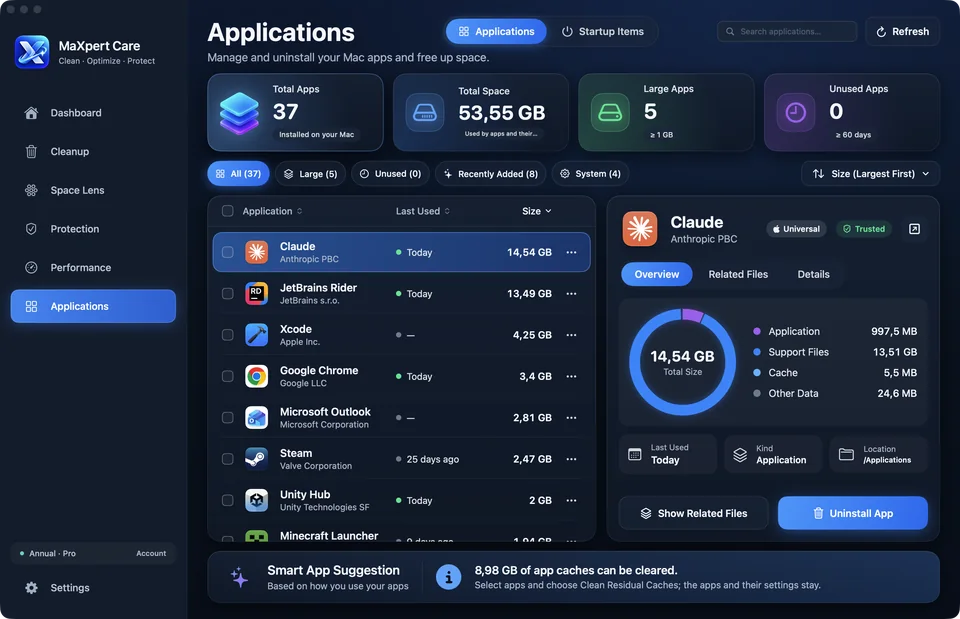
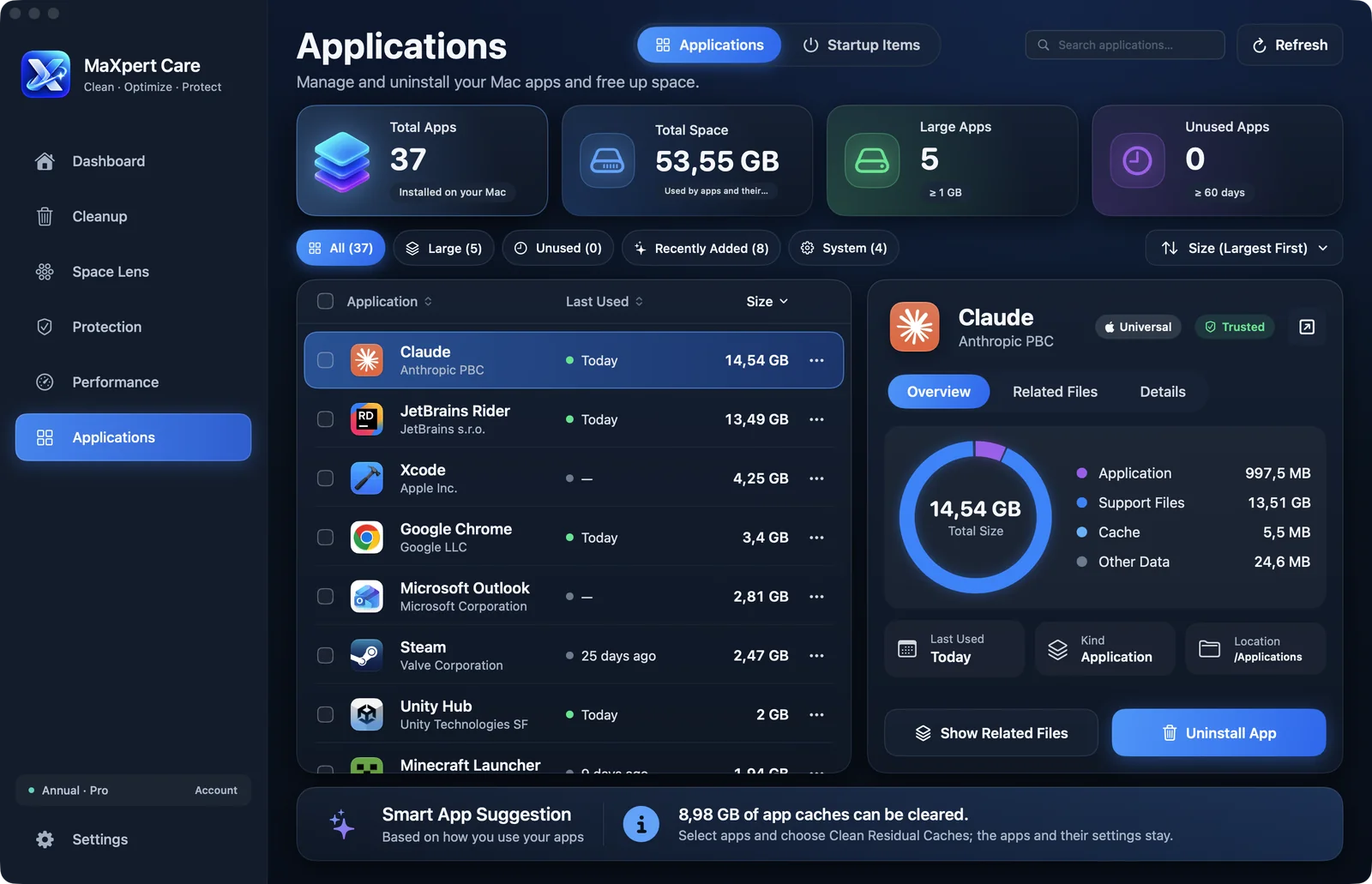
Know every app — and what it leaves behind
Every app with its real last-used date, size, architecture, developer and Gatekeeper signature. The detail panel finds its related files across Application Support, caches, logs, containers, preferences and launch agents — and uninstalls the app together with them.
- Filters: All, Large, Unused, Recently Added and System
- Related files found in every Library folder
- Uninstall with leftovers, clear residual caches
A health score you can actually read.
Most utilities show a single mystery number. MaXpert Care weighs six real readings from macOS — click the ring in the app and it shows you exactly how.
See the DashboardWeighted from live readings — Mach, sysctl and IOKit. No invented numbers.
Feels like it came with your Mac.
Native Swift and SwiftUI, Apple Silicon speed and a design that follows macOS — light on resources, easy on the eyes.














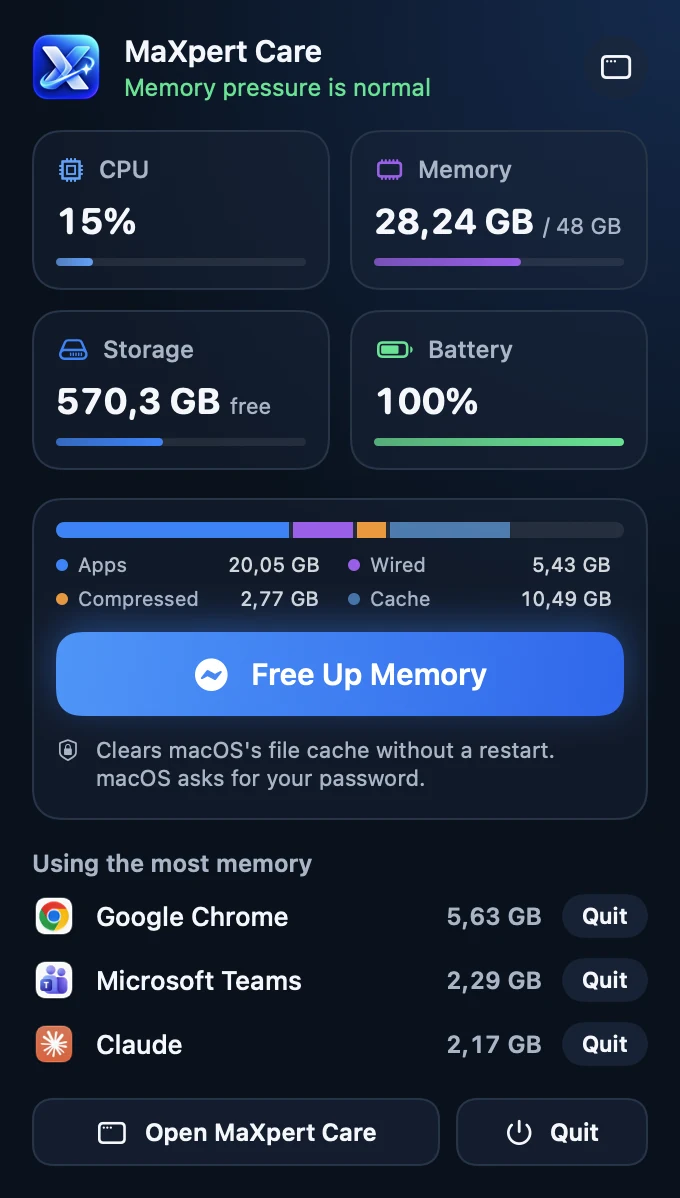
Vitals in your menu bar.
Live CPU, memory, storage and battery, the apps using the most memory and Free Up Memory — one click from anywhere, without opening the app.
- Live CPU, memory, storage and battery
- The most memory-hungry apps, with Quit
- Free Up Memory clears macOS’s file cache without a restart
- Turn it off anytime in Settings
Honest by design.
A Mac utility should earn your trust, not scare you into it. These are built into the app — not marketing.
Zero fake metrics
Every number comes from macOS itself — Mach, sysctl and IOKit. No invented warnings, no scare counters.
Trash-first
Cleanup moves items to the Trash, so they stay restorable — and it asks before it acts.
Protected locations
System folders are never touched. The cleanup engine only works inside an allowlist of safe locations.
On-device
Scans, logs and file checks stay on your Mac. Nothing is uploaded.
Premium native Mac care — at the most affordable price.
Legacy Mac cleaners charge $40–$90 every single year or $120+ for a one-time license. MaXpert Care delivers 6 native Swift utilities — Cleanup, Space Lens, App Uninstaller, Protection, live Performance and Menu Bar Vitals — for a fraction of the cost.
Full Mac Scan & Diagnostics
Unlimited Smart Scan, Space Lens disk analyzer, live Apple Silicon CPU/RAM telemetry and Protection audit.
MaXpert Care Pro Yearly
About $1.25/month in year one ($19.99/yr thereafter) with a 7-day free trial — over 60% cheaper than legacy subscriptions.
One-Time Lifetime License
Pay once and own MaXpert Care Pro 1.x forever on 1 Mac (transferable anytime) — 3× cheaper than competing lifetime licenses.
Mac Cleaner Software — Common Questions
What is the most affordable and economical Mac cleaner software?
MaXpert Care is built to be the most economical native Mac cleaner on macOS: scanning and Space Lens visualization are 100% free, Pro starts at $14.99 for the first year (~$1.25/month) or $2.99/month, and a one-time Lifetime license is just $39.99 — roughly one-third the price of legacy competitors like CleanMyMac.
Why is MaXpert Care cheaper than other Mac cleaners without sacrificing quality?
MaXpert Care is engineered in pure native Swift & SwiftUI (~14.5 MB Universal DMG) with 100% local on-device execution and zero bloated cloud infrastructure or aggressive adware funnels — passing those savings directly to Mac users.
Is MaXpert Care safe for macOS Sonoma, Sequoia and Apple Silicon Macs?
Yes. MaXpert Care is notarized by Apple, enforces a strict SafeCleanupService path allowlist so system folders are never touched, and moves approved caches and leftovers to the macOS Trash first so every cleanup stays restorable.
Can I buy a one-time Mac cleaner license without a recurring subscription?
Yes. MaXpert Care Pro Lifetime is a single $39.99 one-time purchase with no recurring billing, 1 transferable Mac seat, all 1.x updates included, and a 30-day money-back guarantee.
Give your Mac the care it deserves.
Scanning is free. To clean, pick a monthly, 6-month or yearly plan, or a one-time Lifetime license.