

MaXpert Care
Clean · Optimize · Protect
MaXpert Care goes beyond junk cleaning. It reads your Mac’s real storage, memory, battery, thermal and security state straight from macOS, turns it into a health score you can actually read, and gives you the tools to act on it — safely, with everything moved to the Trash first and nothing ever uploaded.
Clean, optimize and protect — honestly.
Clean
Smart Scan and Cleanup find caches, logs, leftovers, Xcode and package-manager caches and large old files. You review everything before it moves to the Trash.
Optimize
Performance, Applications and the menu bar helper show what is really using your CPU, GPU, memory, battery and disk — and which apps you no longer use.
Protect
Protection checks SIP, Gatekeeper, FileVault, firewall and XProtect, looks for suspicious launch agents and temp scripts, and reviews privacy permissions and browser data.
Zero fake metrics
Every number comes from macOS — Mach, sysctl and IOKit. The health score is a weighted, explained mix of those readings.
Trash-first safety
Scans are read-only. Cleanup asks for confirmation and moves items to the Trash, so they stay restorable. System folders are never touched.
100% on-device
Every scan, log and file check stays on your Mac. Nothing is uploaded. Built natively in Swift & SwiftUI — no Electron, no web views.
Every screen, for real.
Every screenshot below is MaXpert Care 1.0 running on an Apple Silicon Mac.
Your Mac’s health at a glance
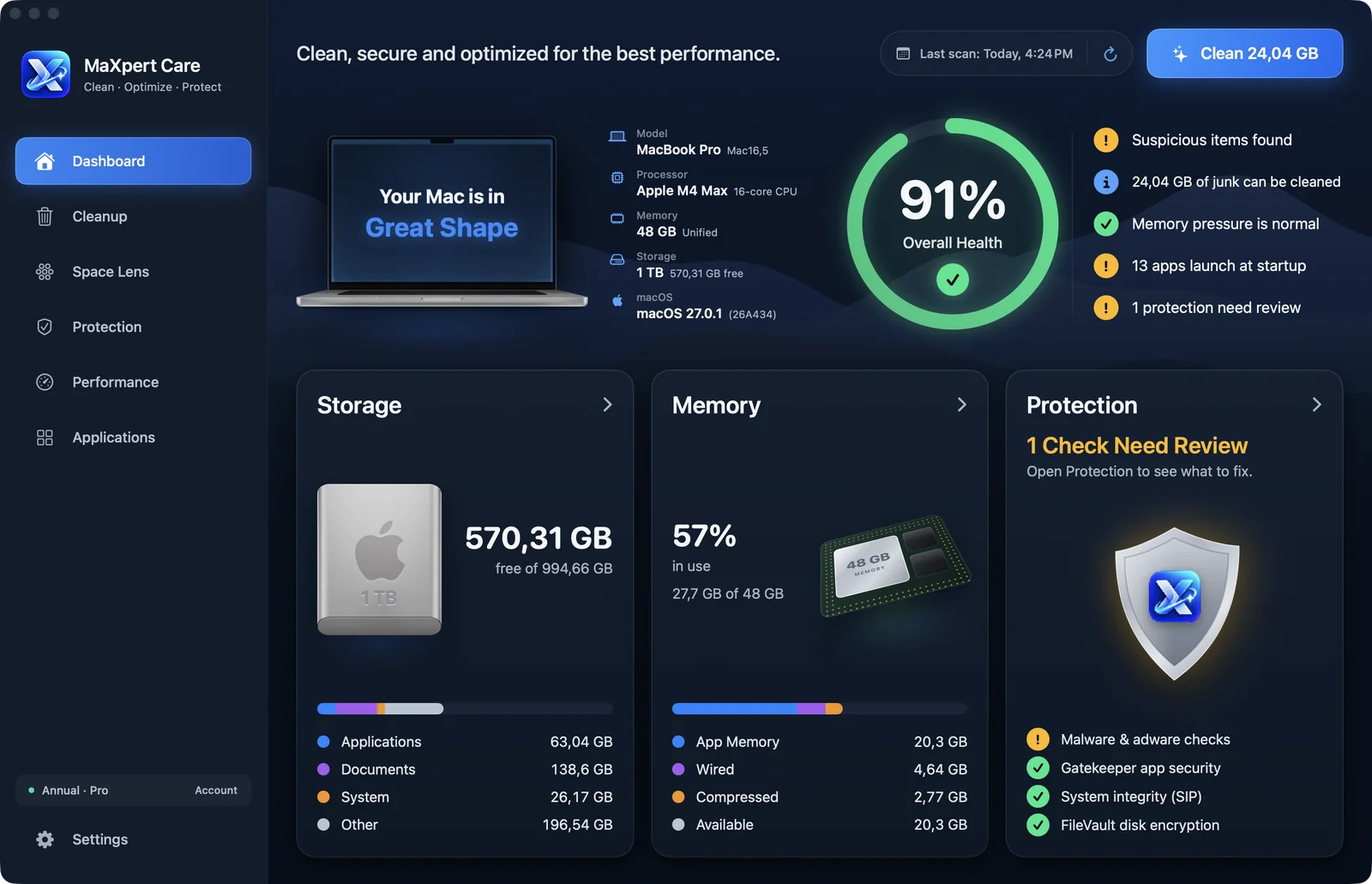
Open the app and see how your Mac is doing: an Overall Health score you can click to see how it’s weighted, a live status list, and Storage, Memory and Protection cards — next to your own Mac and its specs.
- Overall Health ring, with its weighting one click away
- Live status list and Storage, Memory & Protection cards
- Your Mac’s model, chip, memory, storage and macOS at a glance
One click checks the whole Mac
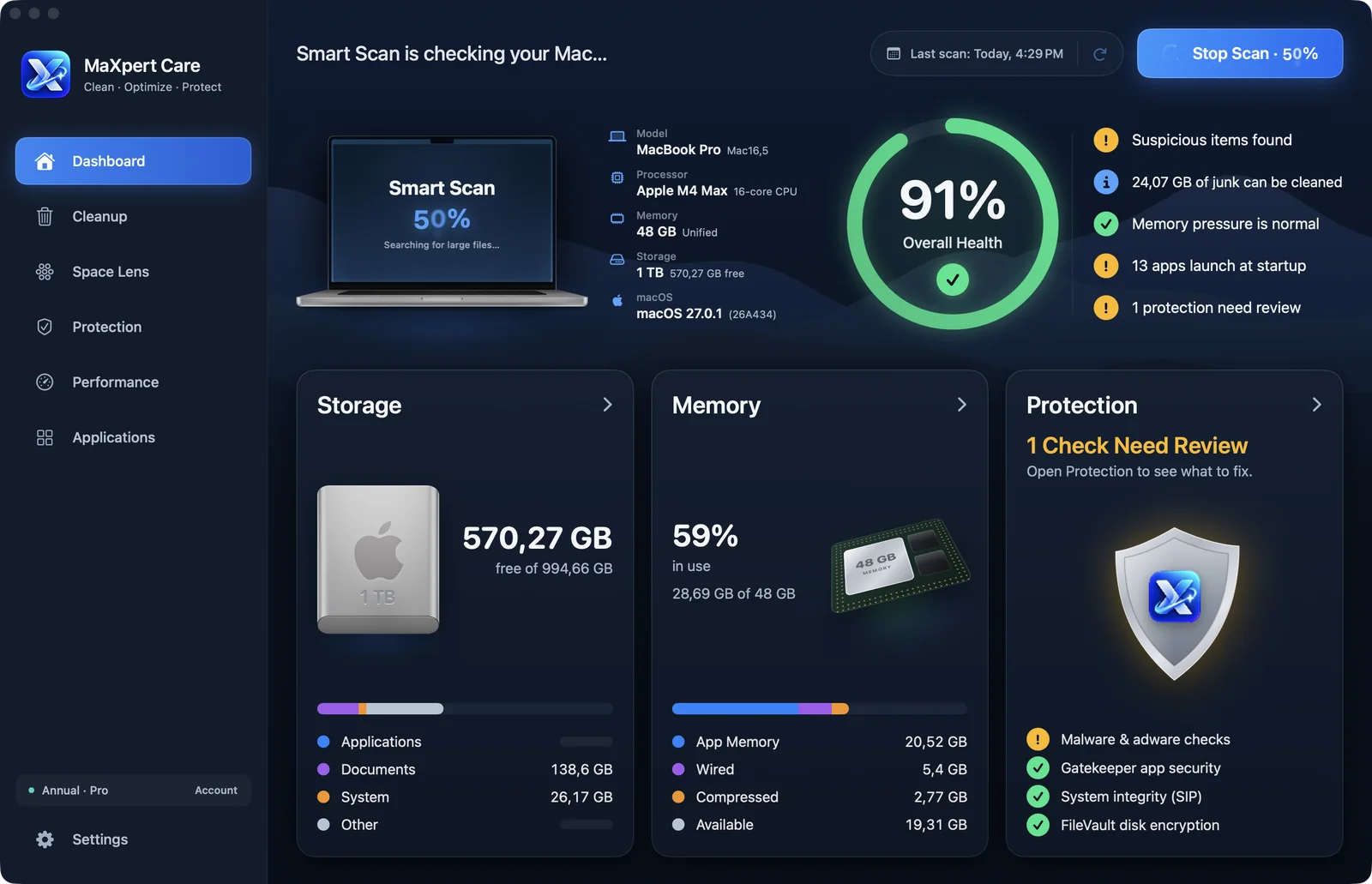
Run Smart Scan from the Dashboard and watch it work through caches, logs, Xcode build files, large files, unused apps, startup items, memory pressure and security checks — live on your Mac’s display. Stop it anytime; when it’s done, Clean takes you straight to Cleanup.
- Nine stages, from user caches to security checks
- Live progress with a Stop button
- Clean what it found in one step
Scan. Review. Clean.
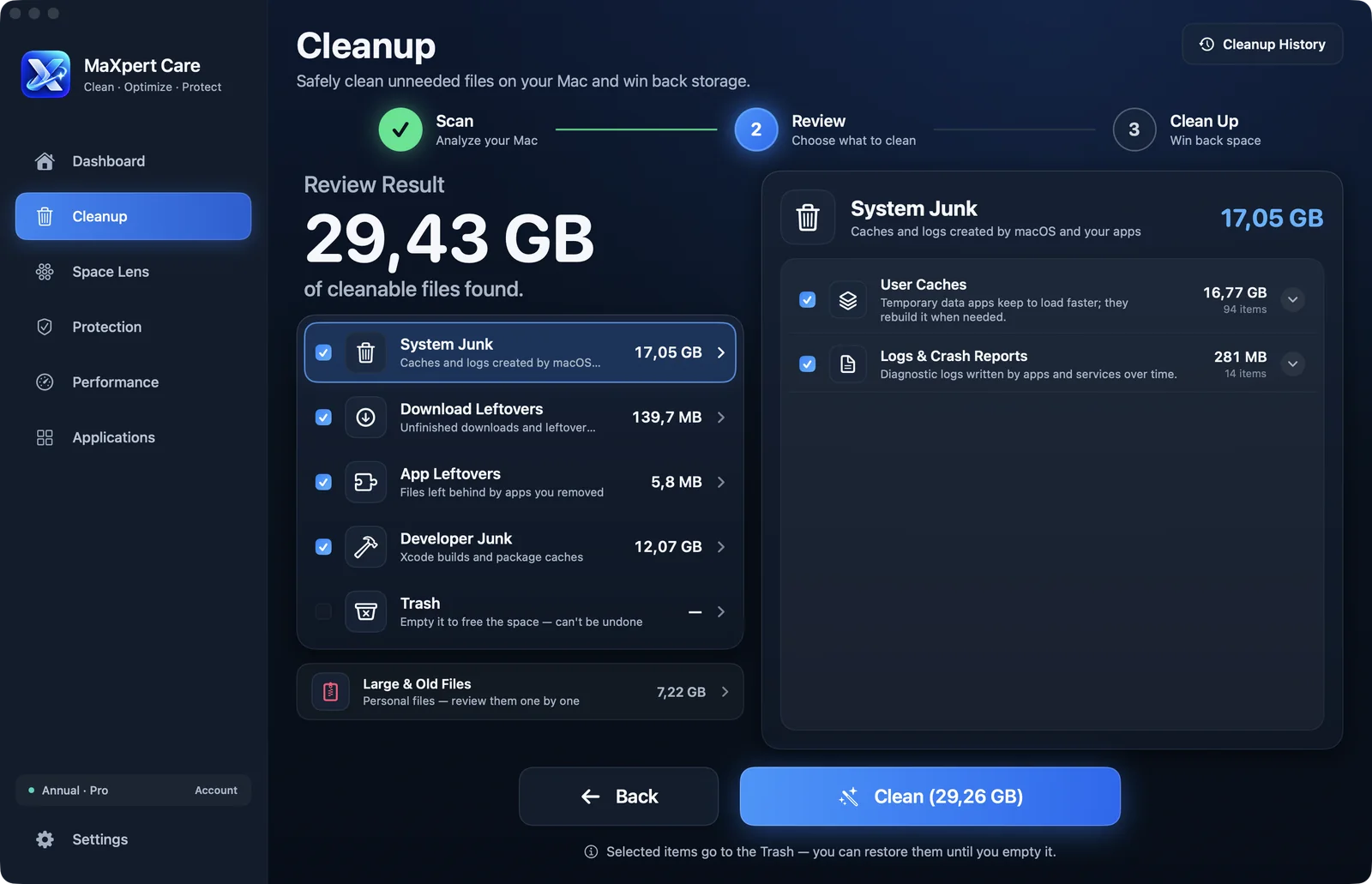
A three-step wizard finds caches, logs, unfinished downloads and installers, files left by apps you removed, and developer junk like Xcode DerivedData, Gradle and npm. You review every group before anything moves — to the Trash, so it stays restorable.
- System junk, app leftovers, developer junk and large & old files
- Live stages, files examined and a time estimate — stop anytime
- Everything goes to the Trash; emptying the Trash is a separate, opt-in group
- Cleanup History of everything you’ve cleaned
See exactly what fills your disk
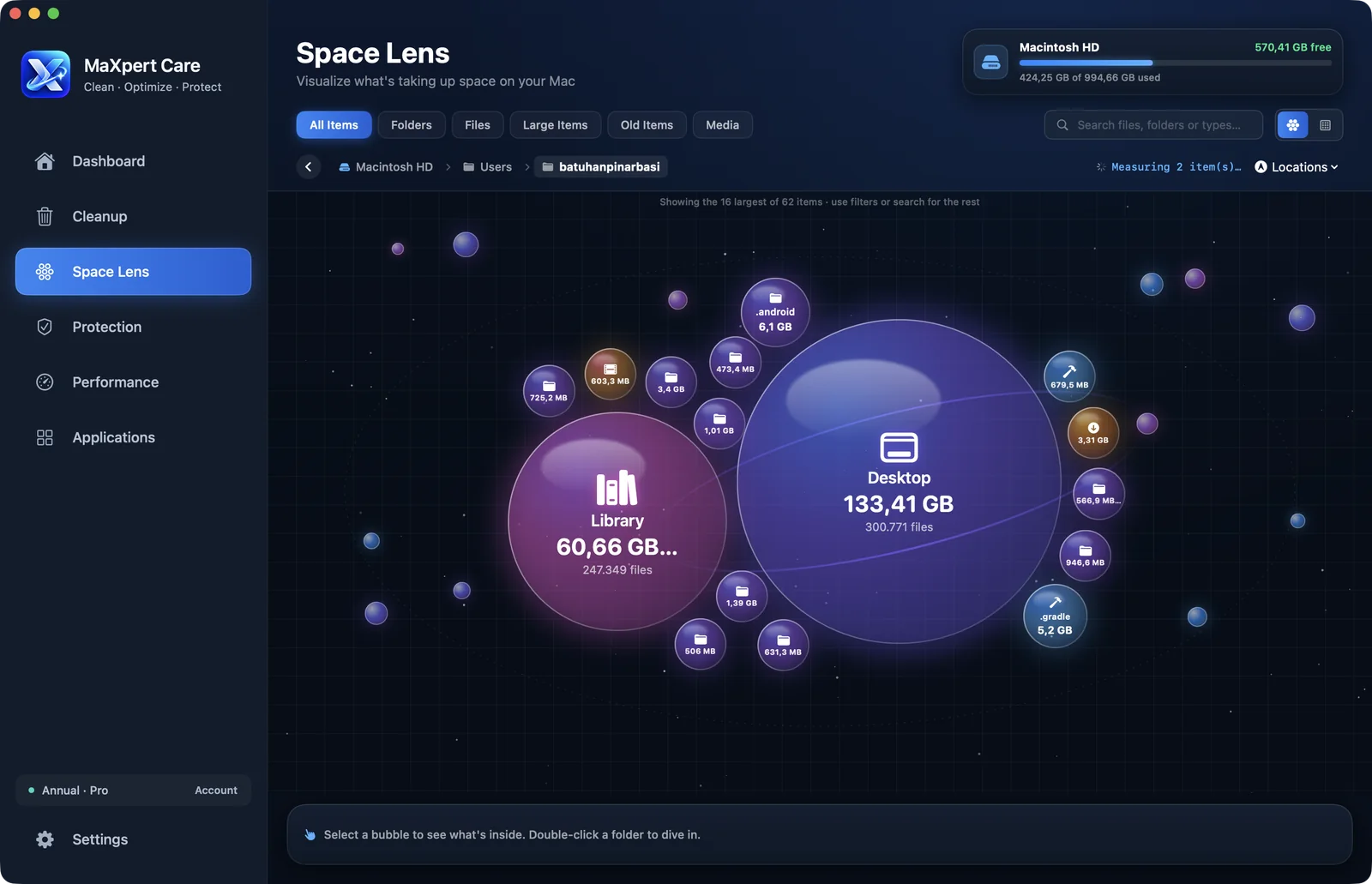
Real disk usage drawn as glowing bubbles or a treemap. Sizes grow live while folders are counted, hidden folders are listed too, and you can drill in, see the largest items and send home-folder items to the Trash.
- Bubbles or treemap, sized by real on-disk usage
- Live sizes while folders are counted
- Drill-down, largest-items panel and a Trash queue
Scan, then protect
A two-step check for suspicious launch agents and temp scripts, privacy permissions, system protections (SIP, Gatekeeper, FileVault, firewall, XProtect), browser privacy and the Clipboard Shield. Protect Now fixes what the app can safely change and opens System Settings for the rest.
- Five real scan stages, from threats to browser privacy
- Protect Now moves your own suspicious items to the Trash and clears browser caches
- Clipboard & Data Shield clears copied data after 3 minutes
- Security History of every check

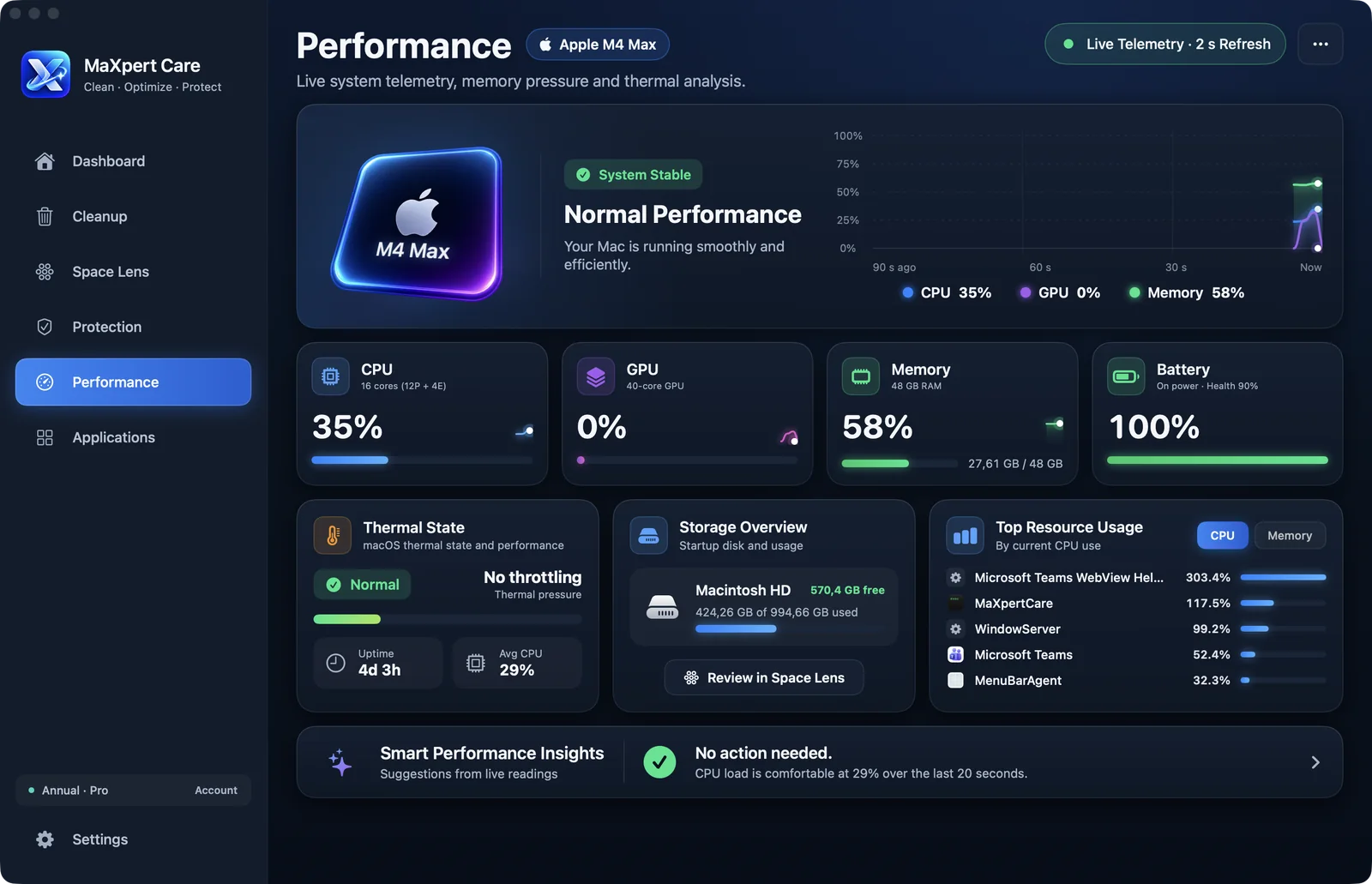
Live telemetry from your Apple Silicon
A live chip view with a load badge — System Stable, High Load or Under Stress — based on memory pressure, thermal state and CPU load, plus a 90-second CPU, GPU and memory chart, live metric cards, storage overview, top processes and plain-language insights.
- 90-second CPU, GPU and memory history
- CPU, GPU, memory and battery cards with live sparklines
- macOS thermal state, top processes and insights
- Pause updates or jump to Activity Monitor
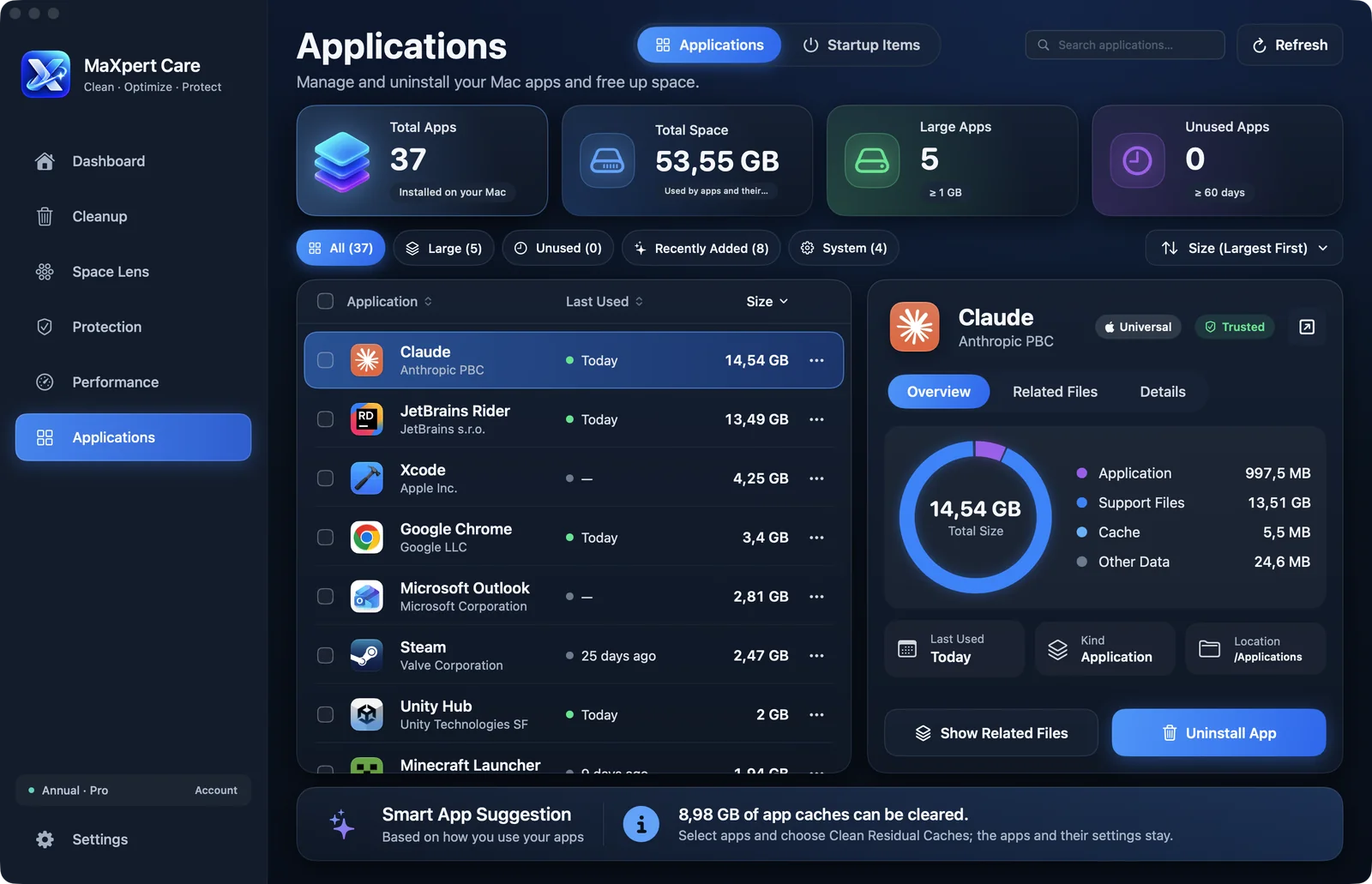
Know every app — and what it leaves behind
Every app with its real last-used date, size, architecture, developer and Gatekeeper signature. The detail panel finds its related files across Application Support, caches, logs, containers, preferences and launch agents — and uninstalls the app together with them.
- Filters: All, Large, Unused, Recently Added and System
- Related files found in every Library folder
- Uninstall with leftovers, clear residual caches
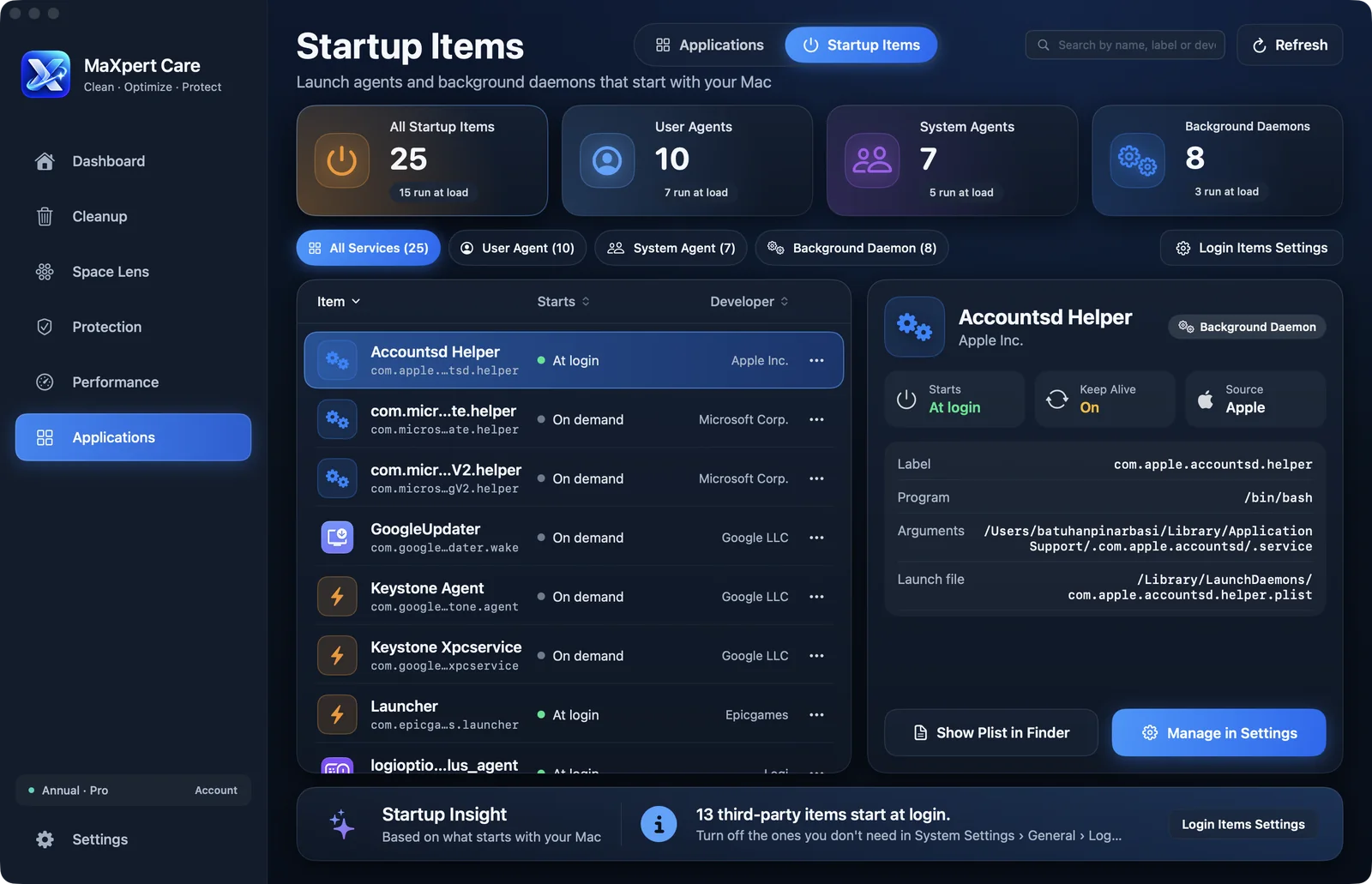
What starts with your Mac
A tab under Applications lists every launch agent and background daemon with its owning app, developer, when it starts and its launch file — plus a direct link to macOS Login Items settings, where you turn items on or off.
- User agents, system agents and background daemons
- Detail panel read from each launch plist
- One click to Login Items & Extensions in System Settings
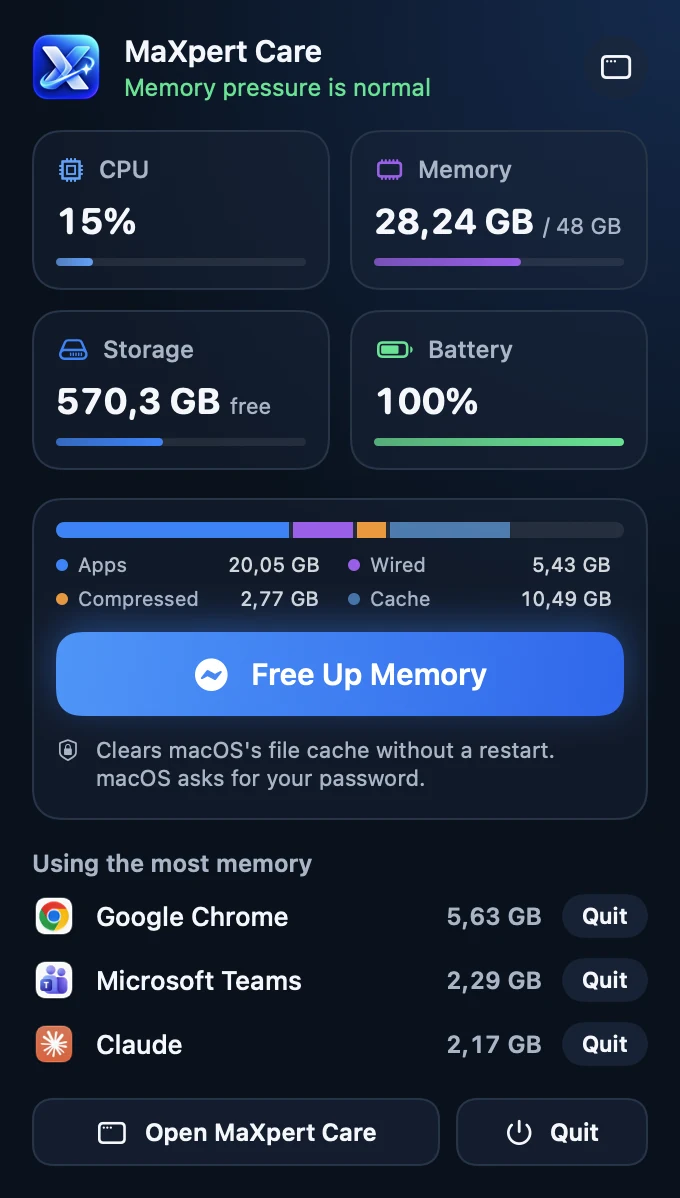
Your Mac’s vitals, one click away
MaXpert Care lives in the menu bar too: live CPU, memory, storage and battery, a memory breakdown and the apps using the most memory, each with a Quit button. Free Up Memory asks macOS to clear its file cache — macOS asks for your password.
- Live CPU, memory, storage and battery
- The most memory-hungry apps, with Quit
- Free Up Memory clears macOS’s file cache without a restart
- Turn it off anytime in Settings
Your Mac, your rules
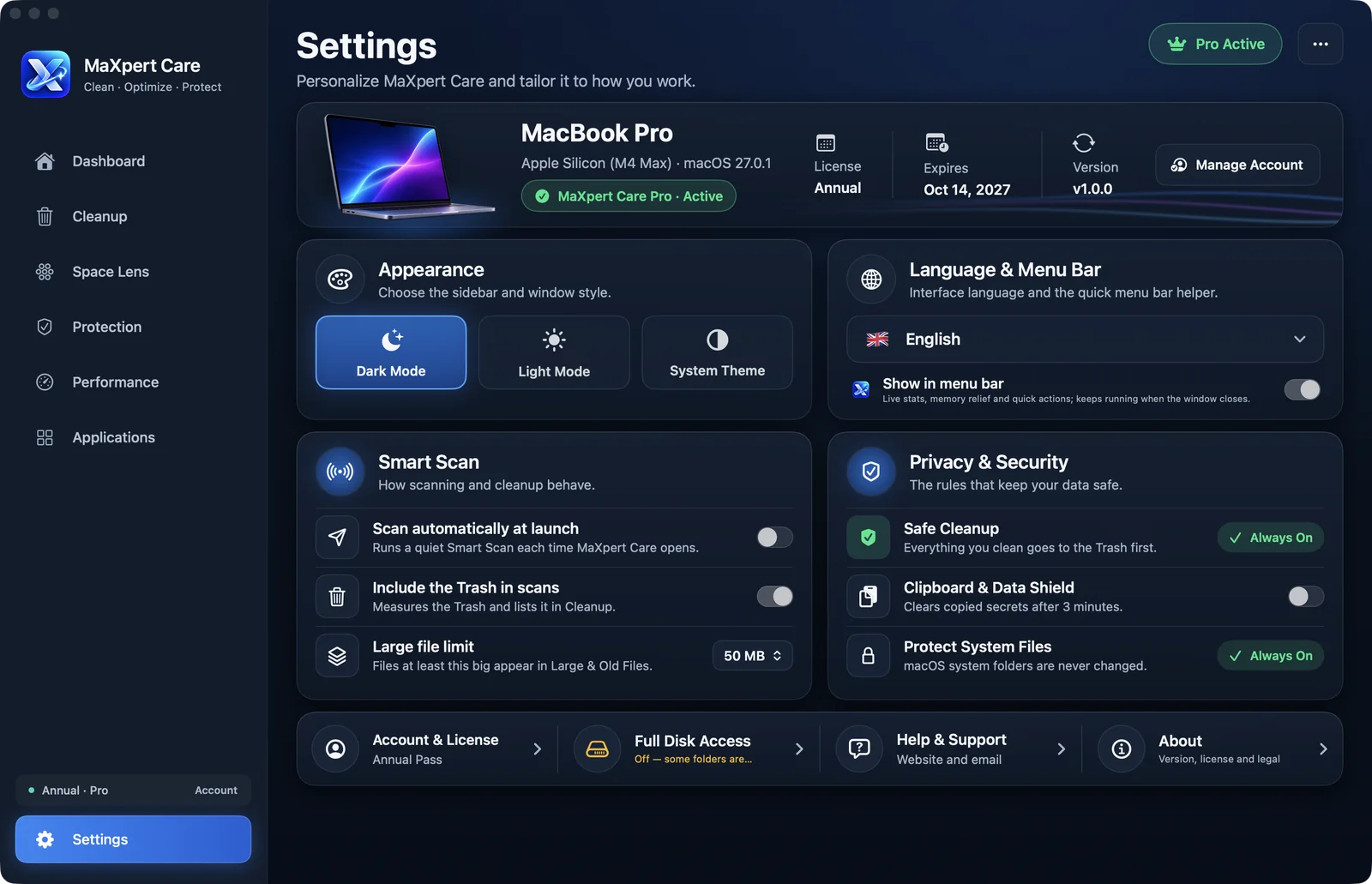
Choose the appearance and language (English or Türkçe), the menu bar helper, Smart Scan options and the large file limit, check Full Disk Access, and manage your account and license. Safe Cleanup and system-file protection are always on.
System requirements & specs
Everything you need to know before you install.
Frequently asked questions
What does MaXpert Care do?
MaXpert Care is a native health & performance suite for Apple Silicon Macs. It combines a health-score Dashboard with Smart Scan, a guided Cleanup, the Space Lens disk visualizer, Protection checks, live Performance telemetry, Applications with Startup Items, and a menu bar helper.
Will it delete anything without asking?
No. Scans are read-only. When you clean, MaXpert Care asks for confirmation and moves the selected items to the Trash, so you can restore them. Emptying the Trash is a separate group that is never pre-selected and asks again, because it can’t be undone. System folders are never touched.
Which Macs are supported?
MaXpert Care requires macOS 14 Sonoma or later and is built for Apple Silicon Macs.
Does it upload my data?
No. Every scan, log and file check stays on your Mac. The numbers you see are read locally from macOS (Mach, sysctl and IOKit).
What does Free Up Memory do?
Free Up Memory in the menu bar helper asks macOS to clear its file cache with the built-in purge command — macOS asks for your password — and shows how much memory was freed. It doesn’t make apps use less memory; to see what does, check Performance’s top processes.
Is the app available in Turkish?
Yes. Choose English or Türkçe in Settings — or follow your Mac’s language. The change applies immediately, without a restart.
How does licensing work?
Scanning and monitoring are free. MaXpert Care Pro, which cleans and removes, is $2.99 a month, $12.99 for 6 months, $19.99 a year with a 7-day free trial, or $39.99 once. See the Pricing page for details.
Ready to try MaXpert Care?
Choose a Monthly, 6-Month or Annual pass, or own it with a one-time Lifetime license.