
How to Choose Safe, Affordable Mac Cleaner Software in 2026 (Without Overpaying)
Searching for “Mac cleaner” on Google surfaces dozens of utilities charging steep annual subscriptions or using alarming pop-ups. Here is how to evaluate Mac cleaning software like a macOS engineer — and keep your Mac fast for a fraction of legacy prices.
1. Five Non-Negotiable Rules Before Installing Any Mac Cleaner
macOS Sonoma and Sequoia already protect core operating-system files on a signed read-only volume, yet active browsers, Xcode, creative apps and uninstalled software still leave 20 GB to 120 GB of user-level caches and orphans behind.
Before trusting any Mac cleaning program with your home folder or your wallet, check these five fundamentals:
- Trash-first recovery (never silent permanent deletion): Safe cleaners move approved caches and leftovers to the macOS Trash so you can restore any item in one click.
- 100% Native Swift & SwiftUI binary: Avoid 200 MB Electron wrappers or persistent root daemons that drain MacBook battery in the background.
- Apple Developer ID signature & Notarization: Verify the DMG is notarized by Apple Gatekeeper before dragging to Applications.
- Transparent on-device privacy: Your file names, directory trees and browser caches should never be uploaded to third-party servers.
- Fair, economical pricing (including a Lifetime option): Cleaning local caches on your own Mac should not cost $50–$90 every year.
2. Why MaXpert Care Delivers Full Pro Capabilities at 1/3 the Cost
We built MaXpert Care specifically for Mac owners who want calm, honest Apple Silicon engineering at the most economical price on the market:
- 1
Scan & Visualize Your Entire Mac for $0
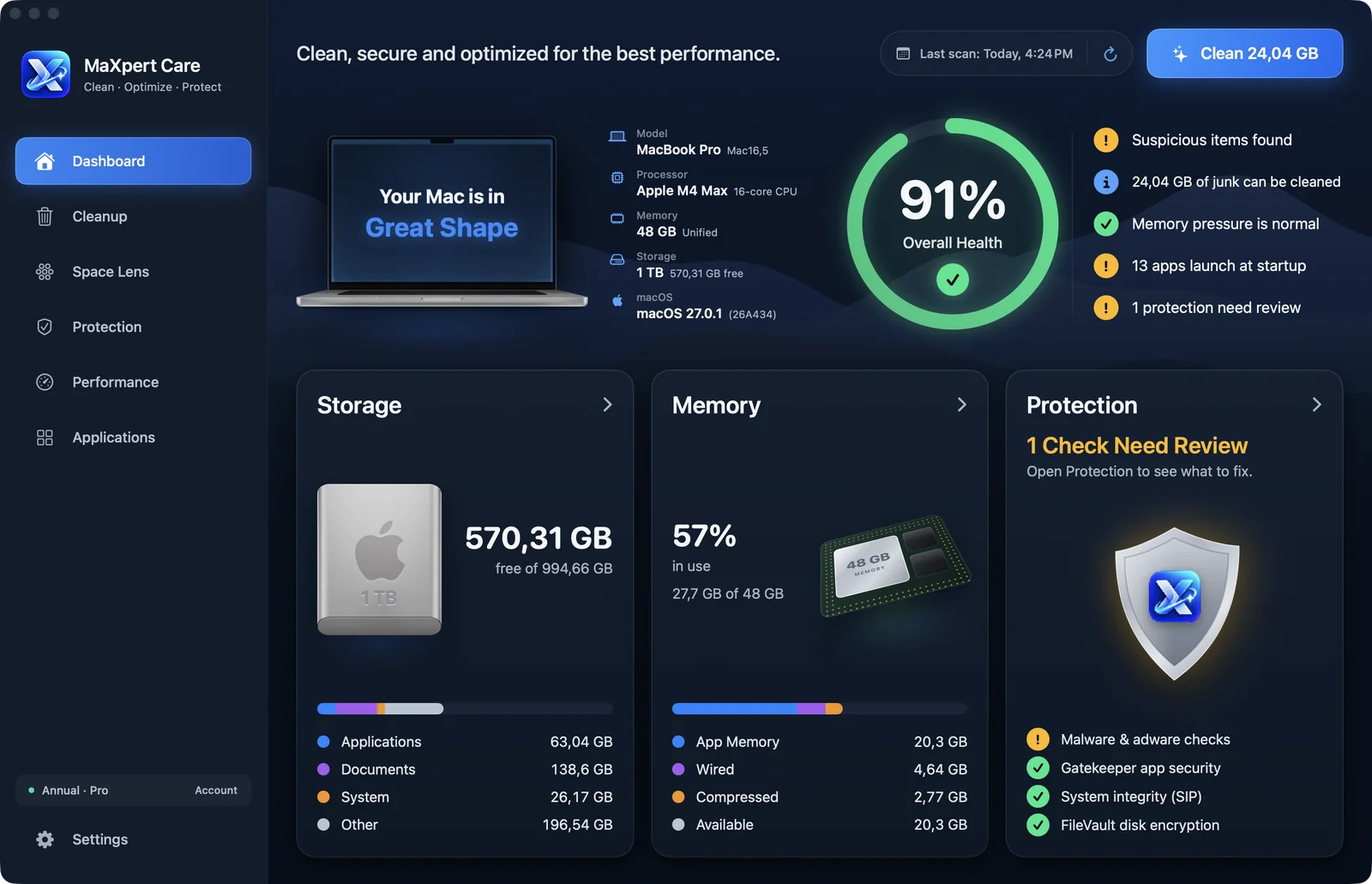
Run unlimited Smart Scan, explore interactive Space Lens disk bubbles/treemaps, check SIP/FileVault/Gatekeeper security, and monitor live CPU/RAM completely free.
- 2
Unlock One-Click Cleanup from ~$1.25/month ($14.99 1st Year)
Clean system caches, Xcode
DerivedData, npm/Gradle caches and orphaned app files, uninstall apps completely, and run Free Up Memory with a 7-day free trial. - 3
Or Own Pro Outright for $39.99 Lifetime
Prefer zero subscriptions? A single $39.99 payment unlocks MaXpert Care Pro 1.x forever on one Mac (transferable anytime when you upgrade Macs).
Test the free scan first, compare what it finds against any $45/year competitor, and upgrade with peace of mind knowing every license includes a 30-day refund guarantee.
Frequently Asked Questions
What is the best economical Mac cleaner for MacBook Air and MacBook Pro (M1/M2/M3/M4)?
MaXpert Care is purpose-built in native Swift & SwiftUI for Apple Silicon and Intel Macs running macOS 14+, combining 6 maintenance tools starting at $14.99 for the first year or $39.99 one-time.
Can I use MaXpert Care for free without entering a credit card?
Yes. Downloading the DMG requires no account or card, and Smart Scan, Space Lens, Protection checks and live Performance monitoring remain free without time limits.
More macOS Guides
All guidesHow to Safely Clear “System Data” on Mac (macOS Sonoma & Sequoia)
When System Settings › General › Storage shows tens of gigabytes locked inside “System Data”, macOS gives you no Clean button. Here is what actually lives inside that bar, which folders are safe to remove, and how to reclaim disk space safely.
How to Completely Uninstall Apps on Mac (Including Hidden Leftovers)
Dragging an icon from Applications to the Trash only removes the `.app` bundle itself. Most macOS apps scatter preferences, caches, containers and background launch agents across five different Library folders.
How to Clear Xcode DerivedData, Simulators & Developer Caches on Mac
Software engineers run out of SSD space faster than anyone else on macOS. Between incremental Xcode builds, Swift Package Manager artifacts, node_modules caches and Gradle wrapper distributions, developer caches silently eat 50 GB+ of fast NVMe storage.