
How to Fix “Your Disk Is Almost Full” on Mac (Immediate Storage Rescue)
When macOS drops below 5 GB–10 GB of free SSD space, swap memory stalls, apps freeze and System Settings keeps warning “Your disk is almost full”. Here is the fastest safe order to recover tens of gigabytes in minutes.
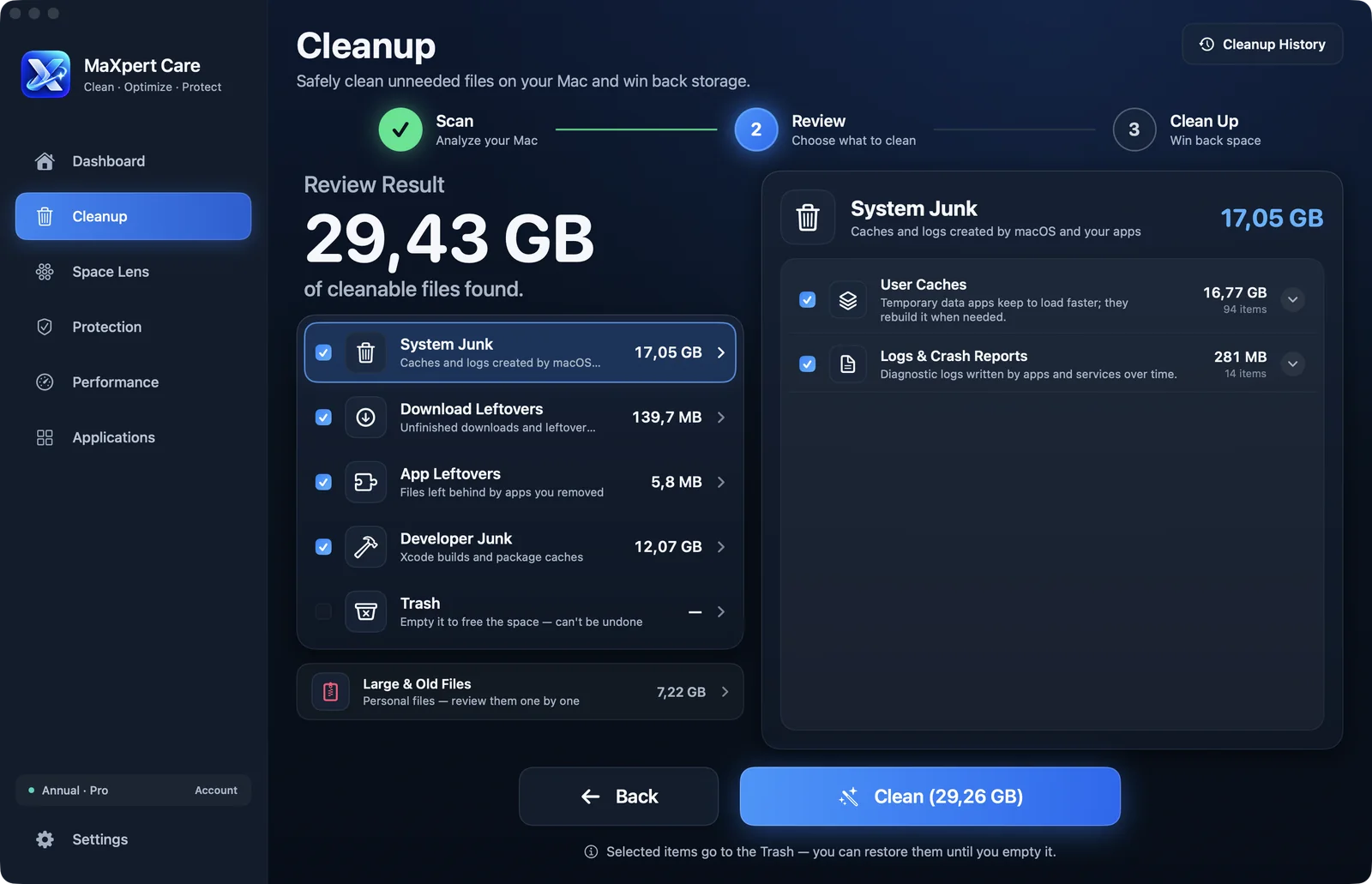
1. Five Places to Reclaim 15 GB–80 GB in Under 5 Minutes
- 1
Empty Forgotten `.dmg`, `.pkg` and `.zip` Installers in Downloads
Disk images and archive installers inside
~/Downloadsare the safest multi-gigabyte files to move to Trash first. - 2
Clear Application & Browser Disk Caches (`~/Library/Caches`)
Chrome, Safari, Firefox, Spotify, Slack and Adobe caches commonly hold 10 GB–35 GB of disposable data without affecting logins.
- 3
Purge Developer Build Artifacts (`DerivedData`, npm, Docker)
If Xcode or Node.js is installed,
~/Library/Developer/Xcode/DerivedDataalone often stores 20 GB–60 GB. - 4
Check `MobileSync/Backup` for Old Wired iPhone Backups
One forgotten USB iPhone backup inside
~/Library/Application Support/MobileSync/Backupcan lock up 50 GB+. - 5
Empty the macOS Trash & Let APFS Reclaim Blocks
Remember that moving files to Trash does not free APFS blocks until Trash is emptied (and APFS snapshots prune).
2. Pinpoint Every Gigabyte Instantly with Free Smart Scan & Space Lens
When your startup disk is critically full, guessing folder sizes in Finder wastes valuable time. Download MaXpert Care (~14.5 MB native Swift DMG) to run Smart Scan and Space Lens for $0 and see every hidden cache, orphan and giant folder side by side.
Frequently Asked Questions
Why does macOS still say my disk is full right after I delete large files?
First confirm you emptied the macOS Trash. If free space still looks unchanged, APFS local Time Machine snapshots or “Purgeable” cache blocks may still hold those sectors temporarily until macOS prunes them.
More macOS Guides
All guidesHow to Choose Safe, Affordable Mac Cleaner Software in 2026 (Without Overpaying)
Searching for “Mac cleaner” on Google surfaces dozens of utilities charging steep annual subscriptions or using alarming pop-ups. Here is how to evaluate Mac cleaning software like a macOS engineer — and keep your Mac fast for a fraction of legacy prices.
How to Safely Clear “System Data” on Mac (macOS Sonoma & Sequoia)
When System Settings › General › Storage shows tens of gigabytes locked inside “System Data”, macOS gives you no Clean button. Here is what actually lives inside that bar, which folders are safe to remove, and how to reclaim disk space safely.
How to Completely Uninstall Apps on Mac (Including Hidden Leftovers)
Dragging an icon from Applications to the Trash only removes the `.app` bundle itself. Most macOS apps scatter preferences, caches, containers and background launch agents across five different Library folders.