
How to Speed Up a Slow Mac & Manage Memory Pressure on Apple Silicon
On M1, M2, M3 and M4 Macs, “unused RAM is wasted RAM” — macOS intentionally fills spare memory with file cache. Real slowdowns happen when Memory Pressure turns amber/red, SSD free space runs low, or hidden launch agents hog CPU.
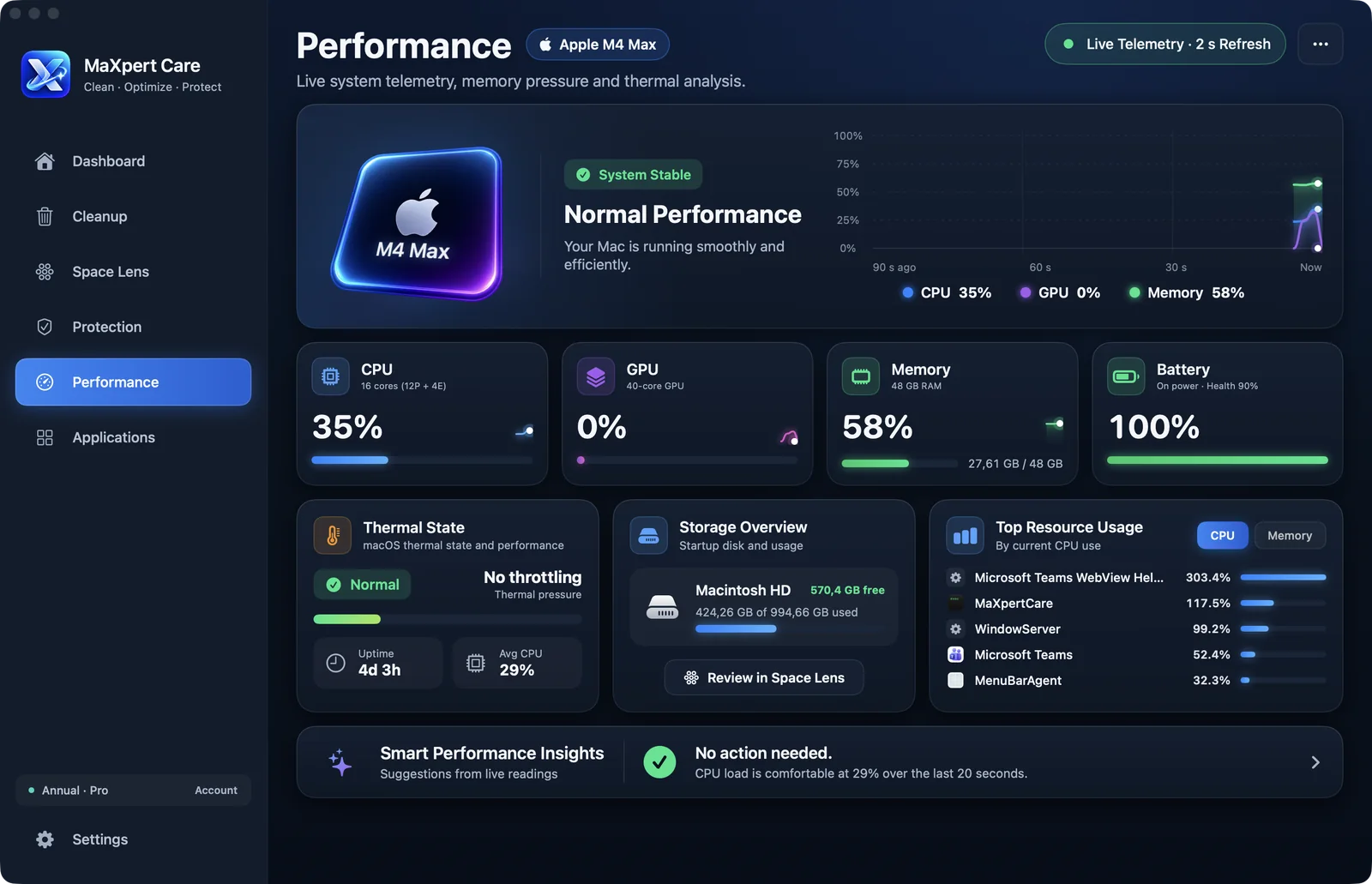
1. Memory Pressure Matters More Than “RAM Used”
Many Mac utilities scare users by showing “85% RAM Used” even when the Mac is completely healthy. Apple Silicon uses unified memory shared between CPU and GPU, and macOS keeps recently read files cached in RAM so apps reopen instantaneously.
What actually slows your Mac down is Memory Pressure (when active wired + compressed app memory forces macOS to swap heavily to your SSD) or Thermal State throttling under sustained CPU/GPU load. MaXpert Care reads real kernel metrics straight from Mach, sysctl and IOKit — never fake scare gauges.
2. Four Proven Ways to Fix a Sluggish MacBook
- 1
Keep at Least 15%–20% of Your Startup SSD Free
APFS and macOS virtual memory swap need breathing room on your SSD. When disk usage passes 90%, swap performance and system responsiveness drop noticeably.
- 2
Quit Runaway Background Apps from the Menu Bar
Use MaXpert Care’s Menu Bar Helper or Performance tab to spot the top memory- and CPU-hungry processes and quit forgotten Electron wrappers or browser helpers in one click.
- 3
Audit LaunchAgents & Background Daemons
Open Applications › Startup Items in MaXpert Care to inspect every
.plistlaunch agent starting at boot, see its owning app and jump straight to macOS Login Items & Extensions. - 4
Use Free Up Memory When Switching Heavy Workloads
After closing a huge video render or virtual machine, Free Up Memory invokes macOS’s native
purgecommand (with standard macOS administrator authorization) to flush inactive file caches immediately.
Frequently Asked Questions
What does Free Up Memory actually do on macOS?
It asks macOS to run its built-in purge utility, flushing inactive disk caches from unified memory without restarting your Mac. It will never crash open apps; to reduce memory held by running apps themselves, quit unused top processes.
Does MaXpert Care slow down my Mac in the background?
No. MaXpert Care is native Swift/SwiftUI with Core Animation layer motion and pauses visual timelines when in the background, keeping CPU impact near zero.
More macOS Guides
All guidesHow to Choose Safe, Affordable Mac Cleaner Software in 2026 (Without Overpaying)
Searching for “Mac cleaner” on Google surfaces dozens of utilities charging steep annual subscriptions or using alarming pop-ups. Here is how to evaluate Mac cleaning software like a macOS engineer — and keep your Mac fast for a fraction of legacy prices.
How to Safely Clear “System Data” on Mac (macOS Sonoma & Sequoia)
When System Settings › General › Storage shows tens of gigabytes locked inside “System Data”, macOS gives you no Clean button. Here is what actually lives inside that bar, which folders are safe to remove, and how to reclaim disk space safely.
How to Completely Uninstall Apps on Mac (Including Hidden Leftovers)
Dragging an icon from Applications to the Trash only removes the `.app` bundle itself. Most macOS apps scatter preferences, caches, containers and background launch agents across five different Library folders.