
MaXpert Care vs CleanMyMac: Native Speed, Privacy & Pricing Compared
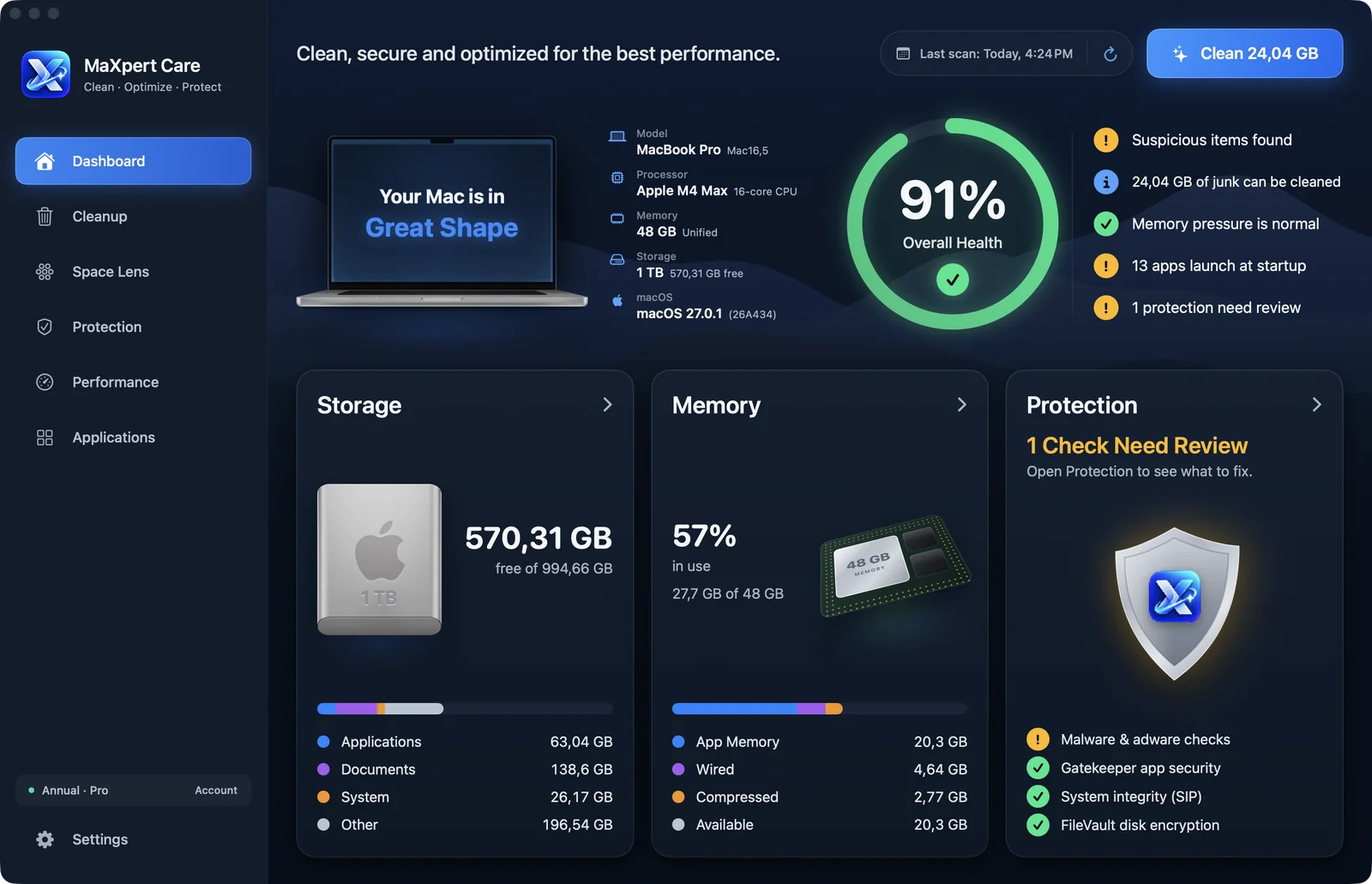
CleanMyMac is the long-standing category giant with a large feature set and higher annual pricing. MaXpert Care was built from scratch in 100% native Swift & SwiftUI for macOS 14+ users who want instant startup, Trash-first safety, zero background bloat and fair pricing — including a $39.99 Lifetime license.
Choose MaXpert Care if you want a calm, ultra-light native Swift app (~14.5 MB download), strict Trash-first cleanup where nothing is erased behind your back, transparent kernel metrics, and a $19.99/year or $39.99 one-time license. Choose CleanMyMac if you specifically want bundled cloud/malware background daemons and multi-platform extras.
MaXpert Care vs CleanMyMac: Feature & Pricing Breakdown
| Capability / Criteria | MaXpert Care | CleanMyMac |
|---|---|---|
| UI & Engine Architecture | 100% Native Swift & SwiftUI (~14.5 MB DMG) | Custom native framework (~65+ MB installer) |
| Free Version Capabilities | Unlimited full scans, Space Lens, live Performance & Protection audit | Limited trial quota before paywall |
| Annual Plan (1 Mac) | $19.99 / yr ($14.99 first-year launch offer) | ~$39.95 – $47.99 / yr |
| One-Time Lifetime License (1 Mac) | $39.99 once | ~$119.95 once |
| Default Cleanup Safety Model | Moves items to macOS Trash first (restorable) | Direct permanent deletion by default |
| Visual Disk Map (Space Lens) | Included (Bubbles & Treemap, free to scan) | Included (Space Lens) |
| Complete App Uninstaller & Leftovers | Included | Included |
| Xcode & Developer Cache Cleanup | Included (DerivedData, SwiftPM, npm, Gradle) | Included |
| Menu Bar Hardware Vitals & Free Up Memory | Included (optional, zero idle bloat) | Included (persistent background agent) |
| On-Device Privacy & Telemetry | Zero analytics SDKs · zero file paths uploaded | Product analytics & cloud services |
Why Mac Users Switch to MaXpert Care
Trash-first cleanup by design
Accidents happen when utilities permanently unlink files right away. MaXpert Care moves approved caches and leftovers to the macOS Trash inside a strict safety allowlist so every cleanup stays reversible.
No scary popups or persistent daemons
When you quit MaXpert Care, it quits. You decide whether the lightweight menu bar helper runs — your Mac’s CPU and battery stay yours.
Fair, transparent licensing
Scan and inspect your entire Mac for free forever. When you want one-click cleanup, MaXpert Care Pro costs less than half of legacy competitors — with a 30-day money-back guarantee.
When CleanMyMac Might Suit You Better
If you need older macOS support (prior to macOS 14 Sonoma) or want real-time background malware monitoring bundled into the same subscription, CleanMyMac offers a broader legacy toolset.
Frequently Asked Questions
Can I test MaXpert Care alongside CleanMyMac before switching?
Yes. MaXpert Care is a self-contained native macOS app notarized by Apple. You can download the free DMG, run Smart Scan and Space Lens side-by-side, and compare what each tool finds without paying a cent.
Does MaXpert Care offer a one-time Lifetime purchase without a subscription?
Yes — MaXpert Care Pro Lifetime is a single $39.99 payment for one Mac (transferable anytime when you upgrade Macs) and includes all 1.x updates.
CleanMyMac is a trademark of MacPaw Way Ltd. Pricing and feature notes reflect publicly listed 1-Mac plans as of late 2026. MaXpert is independent and not affiliated with MacPaw.
More Mac Comparisons
All comparisonsMost Affordable & Cheapest Mac Cleaners Compared (2026 Price Breakdown)
Most commercial Mac cleaning programs lock basic cache removal behind $40–$90/year subscriptions or $120+ lifetime paywalls. Here is the transparent 1-year, 3-year and Lifetime cost comparison — and how MaXpert Care delivers all 6 native Swift modules for up to 70% less.
MaXpert Care vs Free Mac Uninstallers (AppCleaner & Pearcleaner)
Single-purpose tools like AppCleaner and Pearcleaner are great for dragging an app out of Applications. MaXpert Care combines complete app uninstallation with system-wide cache cleanup, Xcode developer junk removal, Space Lens disk mapping, security checks and live Apple Silicon telemetry in one cohesive app.
MaXpert Care vs Manual Finder & Terminal Cleanup on macOS
Experienced Mac users can certainly clean `~/Library/Caches` by hand — we even publish free step-by-step guides showing how. The reason engineers and everyday Mac owners use MaXpert Care is speed, visibility across dozens of scattered paths, and strict allowlist protection against costly mistakes.
MaXpert Care vs OnyX on Mac: Modern Visual Cleanup vs System Tweaks
OnyX is a respected power-user utility for running low-level macOS maintenance scripts and hidden defaults, whereas MaXpert Care is a modern visual suite combining Trash-first cache cleanup, Space Lens disk mapping, complete App Uninstallation, security auditing and live Apple Silicon telemetry — without forced reboots.
MaXpert Care Space Lens vs DaisyDisk & GrandPerspective on Mac
Standalone disk visualizers like DaisyDisk and GrandPerspective show you large folders, but leave it up to you to guess which `~/Library` files are safe to remove. MaXpert Care includes both interactive **Bubble** and **Treemap** disk visualization for **$0** — paired with a safe allowlisted Cleanup engine and App Uninstaller.