
MaXpert Care vs Manual Finder & Terminal Cleanup on macOS
Experienced Mac users can certainly clean ~/Library/Caches by hand — we even publish free step-by-step guides showing how. The reason engineers and everyday Mac owners use MaXpert Care is speed, visibility across dozens of scattered paths, and strict allowlist protection against costly mistakes.
Cleaning manually once a year via Finder works if you know exactly which Library subfolders hold disposable caches versus irreplaceable app databases. MaXpert Care turns a 30-minute manual audit across 40+ directories into a 15-second read-only scan with an enforced safety allowlist and Trash-first recovery.
MaXpert Care vs Manual Finder & Terminal: Feature & Pricing Breakdown
| Capability / Criteria | MaXpert Care | Manual Finder & Terminal |
|---|---|---|
| Time to Audit All Caches & Leftovers | ~10–25 seconds (parallel native Swift) | 20–45 minutes across hidden folders |
| Protection Against Deleting Live App Data | Hardcoded SafeCleanupService allowlist | Easy to misclick inside Application Support |
| Recovery If You Change Your Mind | Everything goes to macOS Trash (restorable) | Permanent loss if using rm -rf in Terminal |
| Visual Proportional Disk Map | Live Space Lens bubbles & treemap | Flat list view in Finder |
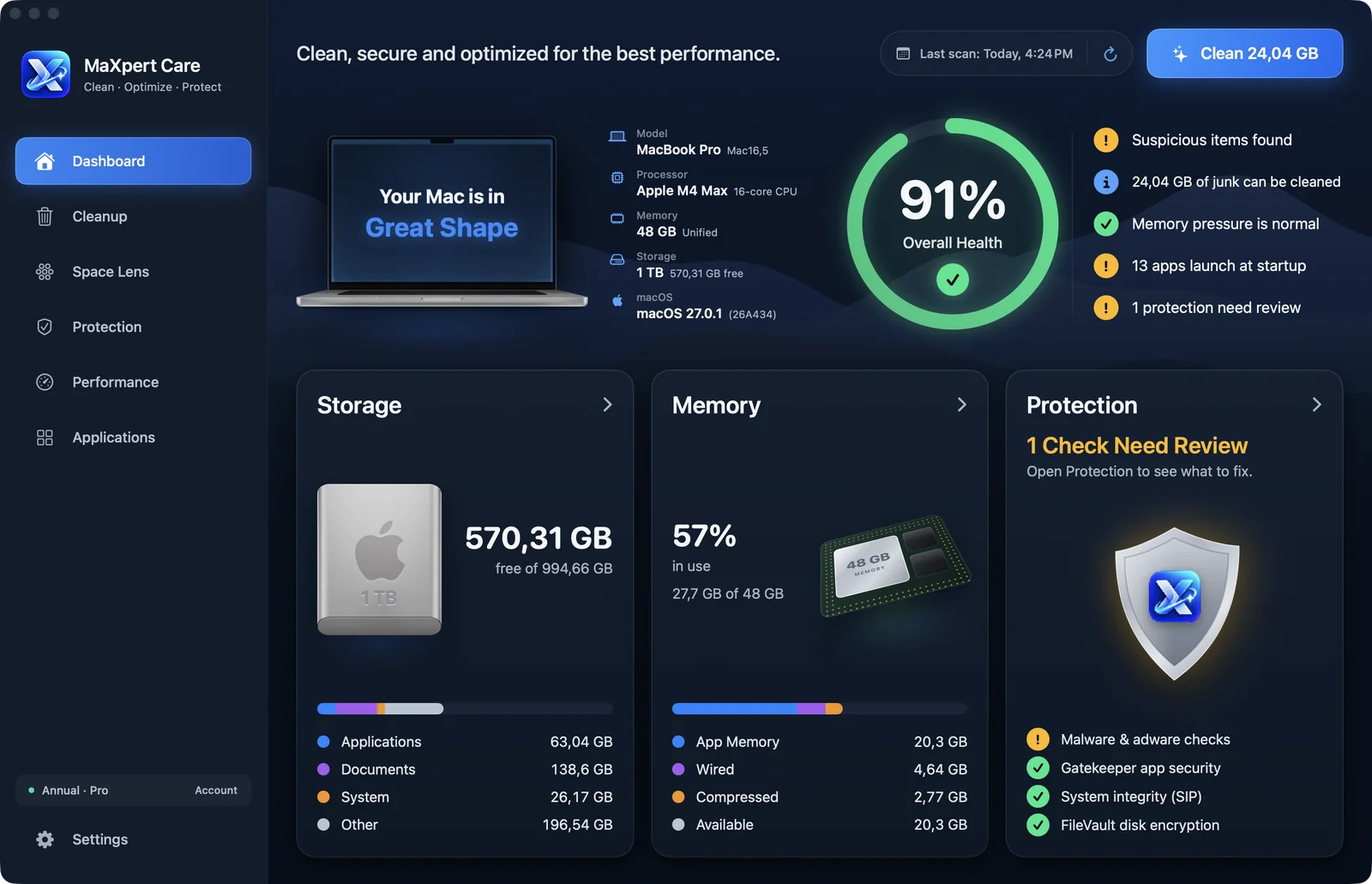
| SIP, FileVault, Gatekeeper & TCC Check | Single Protection dashboard | 5 separate Terminal commands & Settings panes |
| Cost to Scan & Inspect | $0 (Free forever) | $0 |
Built for Users Who Normally Distrust “Cleaner” Apps
Zero fake metrics or scare tactics
Every reading in MaXpert Care comes directly from macOS APIs (Mach, sysctl, IOKit) — click the Overall Health ring in the app to see the exact mathematical weighting.
Full path transparency before any file moves
Every item found by Cleanup or Uninstaller shows its real file path and byte count so you stay in 100% control.
100% local execution
Just like running Finder or Terminal yourself, MaXpert Care processes everything locally on your Mac with zero cloud uploads.
Want to Inspect Folders Manually First?
Check our free Mac Cleanup Guides for the exact ~/Library paths and safety rules — and use MaXpert Care’s free scan to double-check what manual browsing missed.
Frequently Asked Questions
Can MaXpert Care accidentally touch /System or my Documents and Photos?
No. SafeCleanupService enforces a strict path allowlist — system directories are permanently off-limits, and nothing is ever moved to the Trash without your explicit review and confirmation.
More Mac Comparisons
All comparisonsMost Affordable & Cheapest Mac Cleaners Compared (2026 Price Breakdown)
Most commercial Mac cleaning programs lock basic cache removal behind $40–$90/year subscriptions or $120+ lifetime paywalls. Here is the transparent 1-year, 3-year and Lifetime cost comparison — and how MaXpert Care delivers all 6 native Swift modules for up to 70% less.
MaXpert Care vs CleanMyMac: Native Speed, Privacy & Pricing Compared
CleanMyMac is the long-standing category giant with a large feature set and higher annual pricing. MaXpert Care was built from scratch in 100% native Swift & SwiftUI for macOS 14+ users who want instant startup, Trash-first safety, zero background bloat and fair pricing — including a $39.99 Lifetime license.
MaXpert Care vs Free Mac Uninstallers (AppCleaner & Pearcleaner)
Single-purpose tools like AppCleaner and Pearcleaner are great for dragging an app out of Applications. MaXpert Care combines complete app uninstallation with system-wide cache cleanup, Xcode developer junk removal, Space Lens disk mapping, security checks and live Apple Silicon telemetry in one cohesive app.
MaXpert Care vs OnyX on Mac: Modern Visual Cleanup vs System Tweaks
OnyX is a respected power-user utility for running low-level macOS maintenance scripts and hidden defaults, whereas MaXpert Care is a modern visual suite combining Trash-first cache cleanup, Space Lens disk mapping, complete App Uninstallation, security auditing and live Apple Silicon telemetry — without forced reboots.
MaXpert Care Space Lens vs DaisyDisk & GrandPerspective on Mac
Standalone disk visualizers like DaisyDisk and GrandPerspective show you large folders, but leave it up to you to guess which `~/Library` files are safe to remove. MaXpert Care includes both interactive **Bubble** and **Treemap** disk visualization for **$0** — paired with a safe allowlisted Cleanup engine and App Uninstaller.