
MaXpert Care vs OnyX on Mac: Modern Visual Cleanup vs System Tweaks
OnyX is a respected power-user utility for running low-level macOS maintenance scripts and hidden defaults, whereas MaXpert Care is a modern visual suite combining Trash-first cache cleanup, Space Lens disk mapping, complete App Uninstallation, security auditing and live Apple Silicon telemetry — without forced reboots.
Use OnyX when you specifically want to toggle hidden Finder defaults or rebuild low-level system indexes with root privileges. Choose MaXpert Care for everyday visual storage recovery, Space Lens disk mapping, App Uninstaller, Xcode developer junk cleanup and live menu bar telemetry — with Trash-first recovery and zero forced restarts.
MaXpert Care vs OnyX: Feature & Pricing Breakdown
| Capability / Criteria | MaXpert Care | OnyX |
|---|---|---|
| Default Cleanup Safety Model | User-approved allowlist → moves items to macOS Trash | Root-level permanent script execution + reboot |
| Interactive Visual Disk Map (Space Lens) | Included (Bubbles & Treemap, free) | Not included |
| Complete App Uninstaller + Leftovers | Included | Not included |
| Live CPU, GPU, RAM & Menu Bar Helper | Included (free) | Not included |
| macOS Version Upgrades | Single app for macOS 14+ with built-in Sparkle updates | Requires downloading a separate build per macOS major version |
| Price | Free scan & Space Lens · Pro from $14.99 1st yr or $39.99 Lifetime | Free |
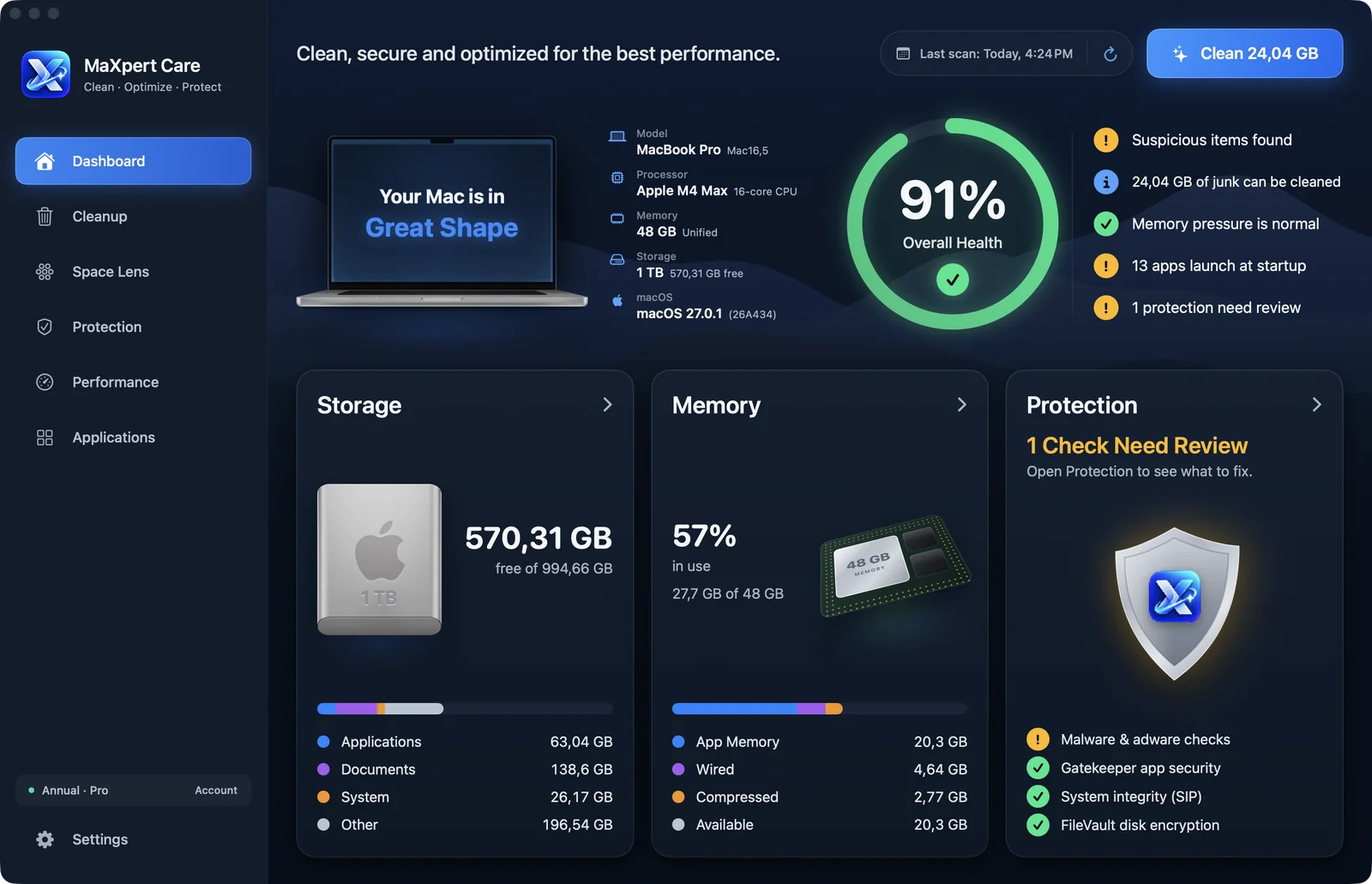
Why Everyday & Pro Mac Users Prefer MaXpert Care for Storage & Health
See exact gigabytes before anything moves
Instead of running blind checkboxes that require closing all apps and rebooting, review every cache group with exact byte counts and restore from Trash anytime.
Six tools in one calm native interface
Space Lens, Uninstaller, Startup Items, Protection and live Performance all live side by side.
When OnyX Complements Your Toolkit
If you want to customize hidden Dock/Finder defaults parameters or force a Spotlight index rebuild, OnyX is a handy companion tool.
Frequently Asked Questions
Can I keep both MaXpert Care and OnyX installed on my Mac?
Yes. Neither installs conflicting kernel extensions, so they coexist cleanly on macOS.
OnyX is developed by Titanium Software. MaXpert is independent and not affiliated with Titanium Software.
More Mac Comparisons
All comparisonsMost Affordable & Cheapest Mac Cleaners Compared (2026 Price Breakdown)
Most commercial Mac cleaning programs lock basic cache removal behind $40–$90/year subscriptions or $120+ lifetime paywalls. Here is the transparent 1-year, 3-year and Lifetime cost comparison — and how MaXpert Care delivers all 6 native Swift modules for up to 70% less.
MaXpert Care vs CleanMyMac: Native Speed, Privacy & Pricing Compared
CleanMyMac is the long-standing category giant with a large feature set and higher annual pricing. MaXpert Care was built from scratch in 100% native Swift & SwiftUI for macOS 14+ users who want instant startup, Trash-first safety, zero background bloat and fair pricing — including a $39.99 Lifetime license.
MaXpert Care vs Free Mac Uninstallers (AppCleaner & Pearcleaner)
Single-purpose tools like AppCleaner and Pearcleaner are great for dragging an app out of Applications. MaXpert Care combines complete app uninstallation with system-wide cache cleanup, Xcode developer junk removal, Space Lens disk mapping, security checks and live Apple Silicon telemetry in one cohesive app.
MaXpert Care vs Manual Finder & Terminal Cleanup on macOS
Experienced Mac users can certainly clean `~/Library/Caches` by hand — we even publish free step-by-step guides showing how. The reason engineers and everyday Mac owners use MaXpert Care is speed, visibility across dozens of scattered paths, and strict allowlist protection against costly mistakes.
MaXpert Care Space Lens vs DaisyDisk & GrandPerspective on Mac
Standalone disk visualizers like DaisyDisk and GrandPerspective show you large folders, but leave it up to you to guess which `~/Library` files are safe to remove. MaXpert Care includes both interactive **Bubble** and **Treemap** disk visualization for **$0** — paired with a safe allowlisted Cleanup engine and App Uninstaller.